A contract landed in my inbox on a Tuesday. Forty pages, no summary, and a meeting about it in ninety minutes. Somewhere in there was a termination clause I needed to understand before I could say anything useful in that room.
That is the shape of the work most people are actually doing when they open an AI tool. Not writing sonnets. Reading something long under time pressure, or drafting something they have drafted forty times before, or fixing a script that broke for reasons nobody can see.
RedeepSeek has twelve features. This article walks through each one doing a real job like that, with the prompt I gave it and the output it returned, so you can see the thing working rather than read a description of it working. Every screenshot is unedited.
Start with the feature everything else is built on top of.
What Each Feature Is For
The twelve features fall into four groups, and knowing which group you live in tells you most of what you need to know about which plan to be on.
| Feature | What it does | Who reaches for it most |
|---|---|---|
| Chat assistant | Multi-turn conversation that holds context | Everyone, as the entry point |
| Content writing | Drafts email, blog, ad and product copy | Marketers and content teams |
| Coding assistant | Writes, explains and debugs across 30+ languages | Developers |
| Image understanding | Reads charts, screenshots and scanned pages | Students and analysts |
| Document analysis | Summarises and answers questions on long files | Legal, ops and business teams |
| Multilingual | Translation and localisation across 50+ languages | International teams |
| Productivity layer | History, templates, export and workspaces | Anyone past their first week |
| API and enterprise | Integration into your own systems | Engineering teams |
The sections below work through that table from the top.
The Chat Assistant
Every other feature in the product is reached through this one, so it carries more weight than its description suggests.
The thing that separates a usable chat assistant from a frustrating one is what happens on turn six rather than turn one. Almost anything handles a single question. The difficulty arrives when a conversation doubles back, when you change your mind halfway through, or when the answer you need depends on something you said four messages ago and never repeated.
What it holds on to
- Constraints you set early and never mention again
- Corrections, including ones you make without flagging them as corrections
- The format you asked for at the start of the conversation
- Material from a document or image you uploaded earlier in the same thread
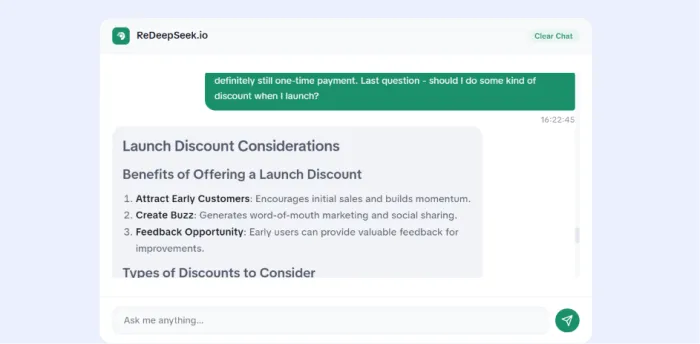
I ran a working conversation about a pricing decision and reversed one of my own constraints partway through, the way people actually talk.
Chat answers questions. The next feature produces things you ship.
Content Writing
The failure mode here is specific and worth naming, because it is the reason most AI copy gets rewritten before it goes out.
Fluent, confident, and interchangeable. Correct grammar carrying no information, where you could swap in a competitor name and publish the same paragraph. It happens when the model reaches past your brief and lands on the average of everything it has read about your category.
The fix is on your side of the keyboard more than the model's. Specifics in, specifics out.
What it drafts
- Blog posts and long-form articles with a defined structure
- Marketing and launch email, including subject line variants
- Ad copy, product descriptions and landing page sections
- Social posts adapted per platform, and video scripts
Getting specifics out of it
Give it the awkward details. The constraint that makes the copy harder to write is the one that makes the output yours: the feature you are deliberately not mentioning, the objection you know the reader has, the customer sentence you want echoed.
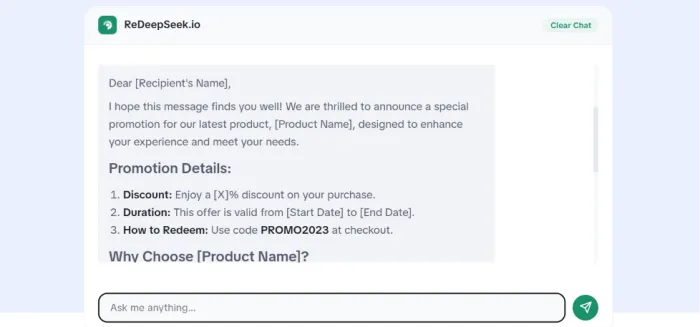
I briefed it on a real launch with four details of that kind and asked for the email plus three subject lines.
Copy is judged on taste. The next feature is judged on whether it runs.
The Coding Assistant
Thirty-plus languages is the headline number, and it is the least interesting thing about this feature.
Breadth is close to meaningless, because the honest position for every AI coding tool is that it is strongest in Python and JavaScript and thins out as the language gets rarer. Depth is where the difference shows.
What it handles
| Task | What you give it | What comes back |
|---|---|---|
| Generation | A description of the behaviour you want | Working code with the reasoning attached |
| Debugging | Broken code, with or without a stack trace | A diagnosis and a patch |
| Explanation | Code you inherited and do not understand | A line-level walkthrough |
| Optimisation | Code that works but runs slowly | A rewrite with the trade-off named |
| Documentation | An undocumented function or module | Docstrings and usage examples |
The hard case
The worst bug to bring an AI tool is the one that fails silently. The script runs, exits cleanly, and hands you a wrong number. There is no error message to paste, so the model has to reason about what you meant rather than pattern-match a traceback.
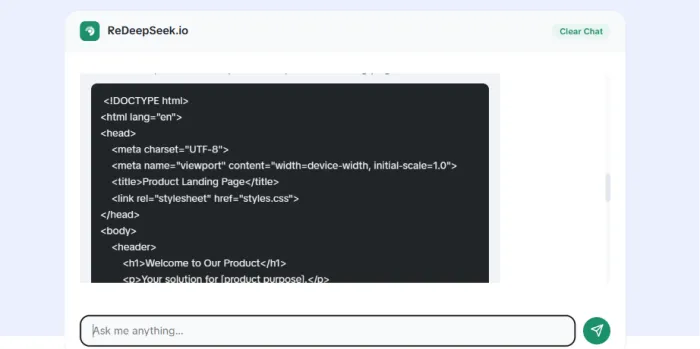
That is the one I brought it.
Everything so far came out of the model itself. The next feature reaches outside it.
Image Understanding
Nobody uploads art to this.
The real traffic is a chart in a report with no underlying spreadsheet, a table locked inside a scanned page, a whiteboard photographed at the end of a meeting, and an error screenshot from someone who did not copy the text.
What it reads
- Charts and graphs, including figures pulled off the bars
- Tables in screenshots or scans, extracted into text you can use
- Printed and handwritten pages
- Interface screenshots, for error messages and layout questions
- Clean inputs prove nothing, so I gave it an awkward revenue chart: overlapping labels, one unlabeled axis, a legend sitting on the data.
Charts are small. The documents are where the hours go.
Document Analysis
Back to the contract from the opening.
Summarising a two-page memo demonstrates nothing at all. The question with long files is retrieval depth, because a weak implementation reads the opening pages, skims the rest, and returns a summary that sounds complete while missing the clause you needed.
What it takes
- PDF, Word and spreadsheet files
- Contracts, research papers, reports and policy documents
What to ask it
Narrow questions beat "summarise this." A summary averages the document. A question interrogates it. "What are the termination terms and what notice period applies" gets you something you can act on in a meeting; "summarise this contract" gets you the back cover.
My termination clause was on page 31, which is not guessable from context and not reachable by reading the first chunk.
All of that ran in English, which is the easy case.
Working Across Languages
Fifty-plus languages is another headline number that measures the wrong thing.
Machine translation has been converting words accurately for a decade. What it has historically bungled is register. The business email that arrives in Japanese technically correct and socially wrong, because nobody considered formality. The Spanish that reads like a manual instead of a person.
So the test was not accuracy. It was whether a native speaker would send it.
I ran the launch email from earlier into Spanish and Japanese and handed both to native speakers without telling them where the text came from.
The Productivity Layer
These are the least exciting features in the product and they decide whether anyone is still here in week three.
Model quality gets the attention. Plumbing determines whether the tool survives a working week. A brilliant answer you cannot find again on Thursday is worth nothing on Thursday.
| Feature | What it gets you |
|---|---|
| Conversation history | Past threads retrievable, with retention varying by plan |
| Saved chats and search | Finding the answer from three weeks ago in seconds |
| Prompt templates | The brief you refined once, reused without rebuilding it |
| Export | Conversations out as PDF, DOCX or plain text |
| Shared workspaces | A team working from one prompt library on team plans |
Everything to this point assumes you are working in the browser. Some teams are not.
The API and Enterprise Features
At a certain point a chat window stops being the right container. If AI needs to run inside a workflow that already exists, it has to arrive as an endpoint rather than a tab.
What is available
- A REST API for integrating RedeepSeek into your own applications
- SSO and SAML, so access follows your existing identity provider
- Custom rate limits sized to your traffic rather than a published tier
- Webhooks and automation hooks for event-driven workflows
- Dedicated infrastructure, and an on-premise deployment path where data cannot leave your environment
Who this is for
The dividing line is not company size. It is whether AI is a thing your people open or a thing your product does. A four-person team shipping an app that calls a model on every request belongs on the API. A two-hundred-person company whose staff use a chat window belongs on team plans.
Who Gets The Most Out Of It
Different people use almost none of the same features, which is why a general feature list is such a poor guide to whether a tool suits you.
| If you are a | You will live in | And can mostly ignore |
|---|---|---|
| Student | Document analysis and image understanding | The API and workspaces |
| Developer | The coding assistant and the API | Content writing |
| Content marketer | Writing, templates and web search | Code and on-prem deployment |
| Researcher | Search, citations and document analysis | Ad copy generation |
| Freelancer or agency | Templates, export and multilingual | Enterprise security features |
| Business owner | Document analysis and shared workspaces | Fine-tuning |
Find your row, then reproduce the demonstration from the matching section using your own work rather than mine. A researcher should run the citation test on a question from their own field. A developer should hand it a bug from their own repository.