
The market has split in two: chat assistants that answer when asked, and agentic assistants that work while you don't. We compared eight leading tools on capability, autonomy, pricing and fit, so you can pick the one that matches how you actually work.
$4.84B Personal AI assistant market in 2026, projected to hit $19.6B by 2030 (~42% CAGR) | 28% Of employed U.S. adults now use ChatGPT at work, up from 8% two years ago |
11.7 hrs Average time knowledge workers lose to email every week (~121 emails/day) | 800M+ Weekly active users on ChatGPT in early 2026, the most-used AI app in the world |
Our verdicts at a glance
No single tool wins everything. The right pick depends on whether you need a thinking partner, an ecosystem layer, or an agent that acts on your behalf.
| Verdict | Tool | Why |
|---|---|---|
| Best overall / all-rounder | ChatGPT | Widest capability range, best app coverage, generous free tier. The default starting point for most people. |
| Best for writing & deep work | Claude | Strongest long-document handling and structured reasoning; excels at nuanced writing and analysis. |
| Best autonomous agent | Lindy | Runs email, scheduling and follow-ups in the background across your apps. The most “assistant-like” tool here. |
| Best for research | Perplexity | Citation-first answers with live web data and multi-model access. Ideal when sources matter. |
| Best in Google Workspace | Gemini | Native AI layer across Gmail, Docs, Sheets and Calendar. Unbeatable if your life lives in Google. |
| Best in Microsoft 365 | Copilot | AI embedded in Outlook, Word, Excel and Teams; the pragmatic pick for Office-first organizations. |
| Best for calendars & tasks | Motion | Auto-schedules tasks, defends focus time and rebuilds your day when plans change. |
| Best budget all-rounder | Redeepseek | All-in-one chat, content, code and cited web search from $10/month, with unlimited messages at $18. Roughly half the big-name tiers. |
Methodology & the 2026 scoreboard
Scores below are an editorial composite drawn from multiple independent 2026 hands-on roundups (see Sources), normalized across five pillars: reasoning quality, memory & personalization, autonomy (does it act without prompting?), integrations, and value for money. Each pillar is weighted equally. They're a guide to relative strengths, not lab benchmarks.
| Rank | Tool | Composite score (visual) | / 10 |
|---|---|---|---|
| 01 | ChatGPT | ███████████████████████░░░ | 9.0 |
| 02 | Claude | ███████████████████████░░░ | 8.9 |
| 03 | Google Gemini | ███████████████████████░░░ | 8.8 |
| 04 | Lindy | ███████████████████████░░░ | 8.7 |
| 05 | Perplexity | ██████████████████████░░░░ | 8.6 |
| 06 | Motion | ██████████████████████░░░░ | 8.5 |
| 07 | MS Copilot | ██████████████████████░░░░ | 8.4 |
| 08 | Redeepseek | ████████████████████░░░░░░ | 7.8 |
| The one distinction that matters: reviewers across 2026 converge on the same split: on-demand AI (ChatGPT, Claude, Gemini, Copilot, Perplexity) is powerful when invoked but idle when not, while autonomous AI (Lindy, Motion) works continuously in the background. Voice assistants like Siri and Alexa sit in a third, consumer-first lane outside this ranking. Compare within a lane before comparing across lanes. |
The 8 tools compared
Pricing reflects published individual plans as of mid-2026 and can change; enterprise tiers excluded.
Table 1. Core comparison of 8 AI personal assistants (2026)
| Tool | Category | Free tier | Paid (indiv.) | Standout capability | Best for |
|---|---|---|---|---|---|
| ChatGPT | On-demand | Yes, generous | $20 Plus · $200 Pro | Breadth: text, voice, images, files, custom GPTs in one app | Everyday all-purpose use |
| Claude | On-demand | Yes | $20 Pro | Long-context document work (200K context, large multi-file uploads) | Writers, analysts, knowledge workers |
| Google Gemini | Ecosystem | Yes | from $19.99 | Contextual AI across Gmail, Docs, Sheets, Drive & Calendar | Google Workspace users; Android |
| Microsoft Copilot | Ecosystem | Yes (basic) | $30/user + M365 | AI inside Outlook, Word, Excel, PowerPoint & Teams | Microsoft 365 organizations |
| Perplexity | On-demand | Yes, unlimited basic search | $20 Pro · $200 Max | Cited, source-grounded answers; multi-model access; Deep Research | Researchers, students, analysts |
| Lindy | Autonomous | Trial-style | $49.99–$199.99 | Background agents that run email, scheduling & cross-app workflows | Executives, founders, power users |
| Motion | Autonomous | Trial | from $19 ($12/user teams) | AI auto-scheduling: plans your day, defends focus time, resolves conflicts | Calendar-driven professionals |
| Redeepseek | On-demand | Trial (50 msgs/day) | $10 Starter · $18 Pro | All-in-one chat, content, code & cited web search at budget pricing | Budget-conscious individuals & small teams |
Capability & cost, visualized
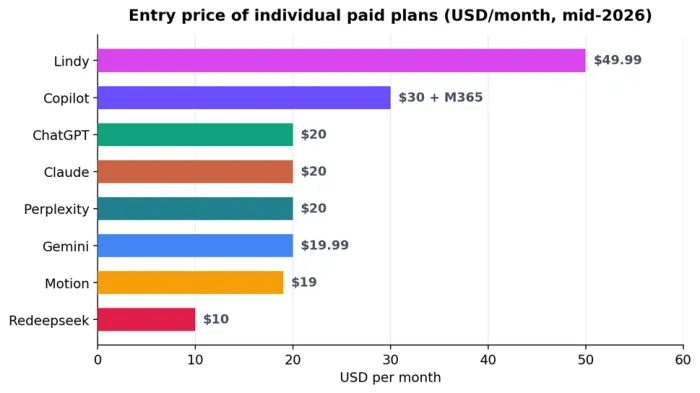
Entry price of individual paid plans (USD/month). Lowest published individual paid tier, mid-2026; Redeepseek’s $10 Starter is the cheapest paid entry on the list.
Each tool, examined
What each assistant genuinely does well, where it falls short, and who should buy it.
ChatGPT: Best Overall - 9.0 / 10
OpenAI · Web, iOS, Android, macOS, Windows · Free / $20 / $200
ChatGPT remains the most widely adopted AI assistant on the planet (reviewers estimate 800M+ weekly active users in early 2026) and its defining strength is breadth. In one thread it can draft a contract summary, debug code, analyze a photo of a whiteboard, hold a real-time voice conversation and generate images. Memory and custom instructions let it learn your preferences over time, and the GPT marketplace adds thousands of specialized mini-assistants.
Its weakness is the flip side of that breadth: it's fundamentally a prompt-response tool. It won't triage your inbox overnight or reschedule your day; the work still starts with you asking. Organizations that deployed it report ~80% of employees saving 2+ hours weekly. Meaningful, but reactive savings.
| PROS | CONS |
+ Best all-round capability across text, voice, vision, files + Generous free tier; polished apps on every platform + Memory + custom GPTs personalize over time | – Reactive by design; no persistent background work – Hands-on actions (scheduling, email) need other tools – $200 Pro tier only worth it for heavy power users |
| Best for: anyone who wants one capable assistant for thinking, drafting and everyday questions. | |
Claude: Best for Writing & Deep Document Work - 8.9 / 10
Anthropic · Web, mobile, desktop · Free / $20 Pro

Claude is the tool reviewers consistently pick for thoughtful writing, structured reasoning and long-document work. Its 200K-token context window and support for large multi-file uploads make it the strongest free option for working through contracts, reports and research material, and its prose quality is regularly rated at or near the top of the field. Projects and workspace features suit sustained, multi-session work, and Anthropic's desktop offering extends it toward file- and computer-level tasks for knowledge workers.
Like ChatGPT, it's an on-demand assistant rather than an autonomous one, and its ecosystem of consumer extras (image generation, plugin marketplace) is thinner than OpenAI's.
| PROS | CONS |
+ Top-tier writing quality and nuanced analysis + 200K context; excellent multi-document handling + Strong free tier for long-form work | – Fewer consumer bells and whistles than ChatGPT – No native autonomous email/calendar management |
| Best for: writers, analysts, lawyers, researchers, and anyone whose work is measured in documents. | |
Google Gemini: Best Inside Google Workspace - 8.8 / 10
Google · Web, Android, iOS, Workspace · Free / from $19.99

Gemini has evolved from a ChatGPT rival into something more strategic: the AI layer across every Google product. It reads context from Gmail, Docs, Sheets, Slides, Calendar and Drive, so “summarize this thread and draft a reply” or “pull the numbers from that spreadsheet” happens where the data already lives. On Android it's the built-in assistant, giving it phone-level reach no third-party app matches.
Outside the Google ecosystem its advantage largely evaporates, and its raw reasoning, while excellent, is usually rated a notch behind the very best frontier chat tools.
| PROS | CONS |
+ Deep native hooks into Gmail, Docs, Sheets, Calendar + Built-in on Android; strong free tier + Contextual awareness across your Google data | – Value drops sharply outside Google Workspace – Assists when invoked; limited true autonomy |
| Best for: people whose email, files and calendar already live in Google. | |
Lindy: Best Autonomous Agent - 8.7 / 10
Lindy.ai · Web · $49.99 / $99.99 / $199.99
Lindy is what most people picture when they say “AI assistant”: a semi-autonomous agent that works in the background across Gmail, Outlook, Google Calendar, Slack, Notion and CRMs. It learns how you write and prioritize, drafts replies in your voice, preps meetings, and runs multi-step follow-ups without being re-prompted. Multiple 2026 roundups place it in the top tier for the three things that compound over a workweek: persistent memory, proactivity and cross-app action.
The trade-offs are real: building effective agents takes 2–3 hours of setup and prompt engineering, and pricing starts at 2.5× a standard chat subscription. The Pro tier with computer-use runs $99.99/month.
| PROS | CONS |
+ Genuinely autonomous: email, scheduling, follow-ups + Learns your writing style and priorities over time + Deep cross-app workflows (hundreds of integrations) | – Significant setup time before it pays off – Most expensive entry price in this comparison |
| Best for: executives, founders and tech-savvy professionals drowning in email and scheduling. | |
Redeepseek: Best Budget All-Rounder - 7.8 / 10
Redeepseek · Web · Free trial / $10 Starter / $18 Professional
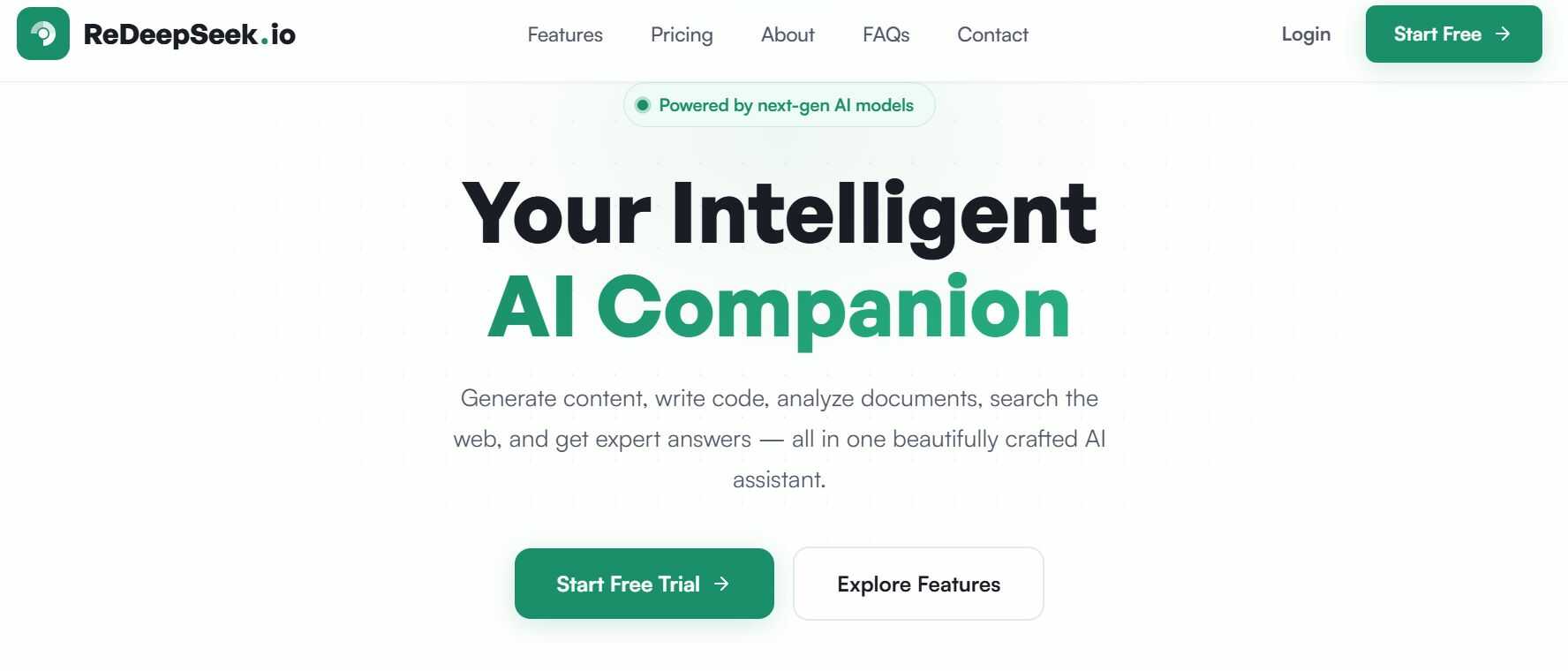
Redeepseek is the value pick on this list: an all-in-one, on-demand assistant covering chat, content generation, a code assistant spanning 50+ languages, document and image analysis, and web search with citations, all for roughly half the price of the big-name tiers. The $10 Starter plan covers 500 messages a day with web search and multi-language support (50+ languages), while the $18 Professional tier adds unlimited messages, priority speed, custom AI personas and a team workspace for up to five people.
The honest caveats: it is a small, newer entrant (its own site reports around 5,000 active users, and figures like uptime are self-reported) and it doesn't disclose which underlying models power it, describing them only as “next-gen AI models.” Its free tier is a limited trial (50 messages/day) rather than a true free plan, and like the other on-demand tools here it has no autonomous background features.
| PROS | CONS |
+ Cheapest paid entry here ($10) and unlimited messages at $18 + Broad toolkit: content, code, cited web search, doc/image analysis + Team workspace (up to 5) on the Professional plan | – Small, unproven player with self-reported usage stats – Underlying AI models not disclosed – Free tier is a limited trial; no autonomous features |
| Best for: budget-conscious individuals, freelancers and small teams who want one capable assistant without a $20+ subscription. | |
Perplexity: Best for Research - 8.6 / 10
Perplexity AI · Web, iOS, Android, Comet browser · Free / $20 Pro / $200 Max
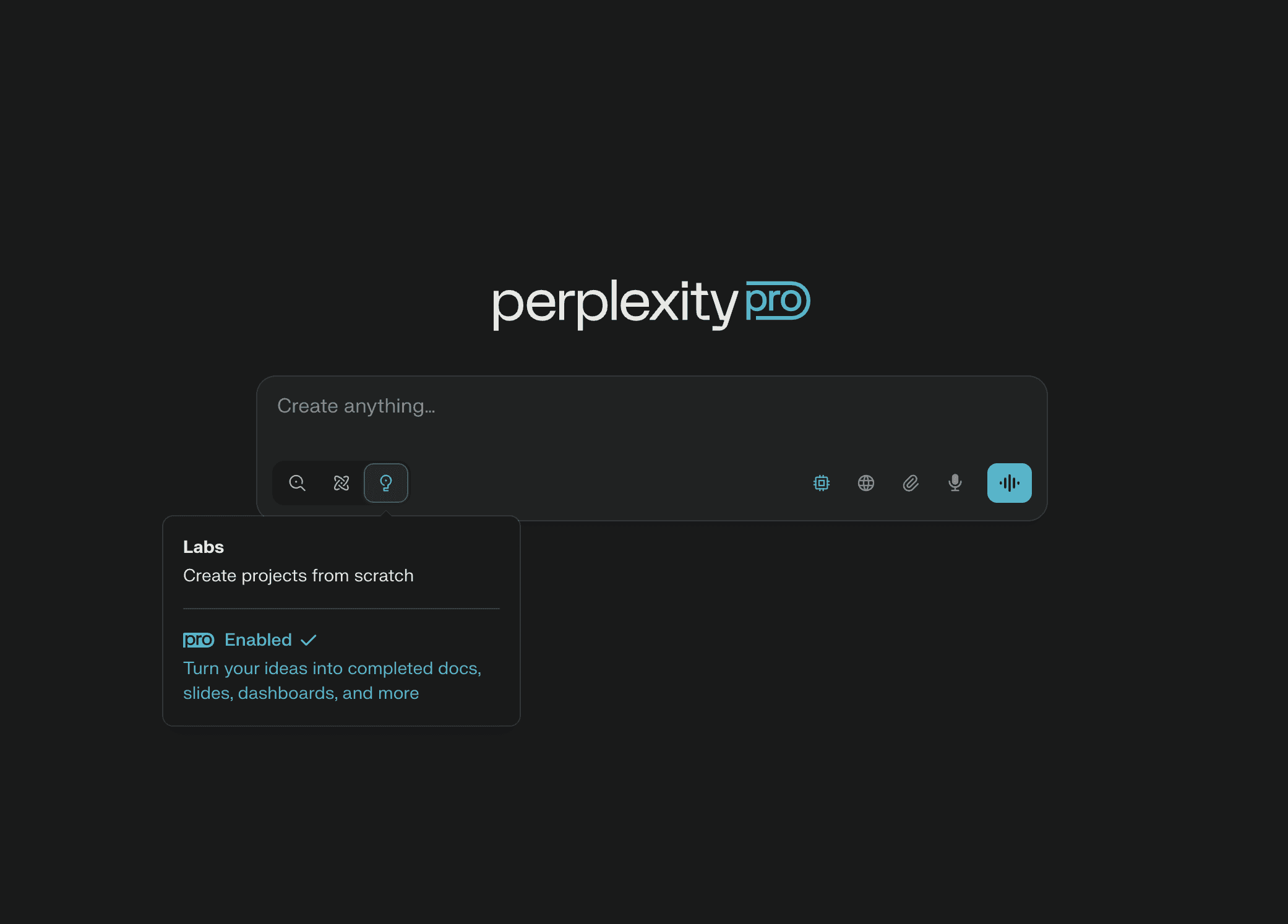
Perplexity is an answer engine, not a chatbot: every response is grounded in live web sources with citations you can inspect. The free tier offers unlimited basic searches (with ~5 Pro searches/day); Pro at $20 unlocks unlimited Pro Search, ~20 Deep Research queries a day, file uploads, and a choice of frontier models from multiple labs in one interface. The $200 Max tier adds Background Assistants (scheduled autonomous tasks like a morning brief), nudging it toward the agentic camp.
It's less compelling for long-form creative writing or heavy coding, where dedicated chat assistants still lead.
| PROS | CONS |
+ Cited, verifiable answers with live web data + Multi-model access (GPT, Claude, Gemini) in one tool + Deep Research mode for multi-source synthesis | – Weaker for creative writing and coding workflows – Autonomous features locked behind the $200 Max tier |
| Best for: researchers, students, analysts and anyone allergic to unsourced answers. | |
Motion: Best for Calendar & Task Automation - 8.5 / 10
Motion · Web, iOS, Android · from $19/mo (teams $12/user)

Motion attacks one specific, expensive problem: your calendar. Its AI auto-schedules tasks around meetings, defends blocks of deep-work time, resolves conflicts, and rebuilds your entire day in real time when something changes. In one 2026 executive-assistant test, it successfully juggled 8 conflicting meeting requests, 12 deadline-bound tasks and a 4-hour deep-work requirement into a workable week.
It is deliberately narrow: a specialist, not a generalist. You'll still want a chat assistant alongside it for writing and research.
| PROS | CONS |
+ Best-in-class AI auto-scheduling and focus-time defense + Adapts your plan in real time as the day shifts + Affordable relative to the autonomy it delivers | – Single-domain: calendar and tasks only – No meaningful free tier |
| Best for: professionals whose main pain is an over-stuffed, constantly shifting schedule. | |
Microsoft Copilot: Best Inside Microsoft 365 - 8.4 / 10
Microsoft · Windows, web, M365 apps · Free (basic) / $30/user + M365
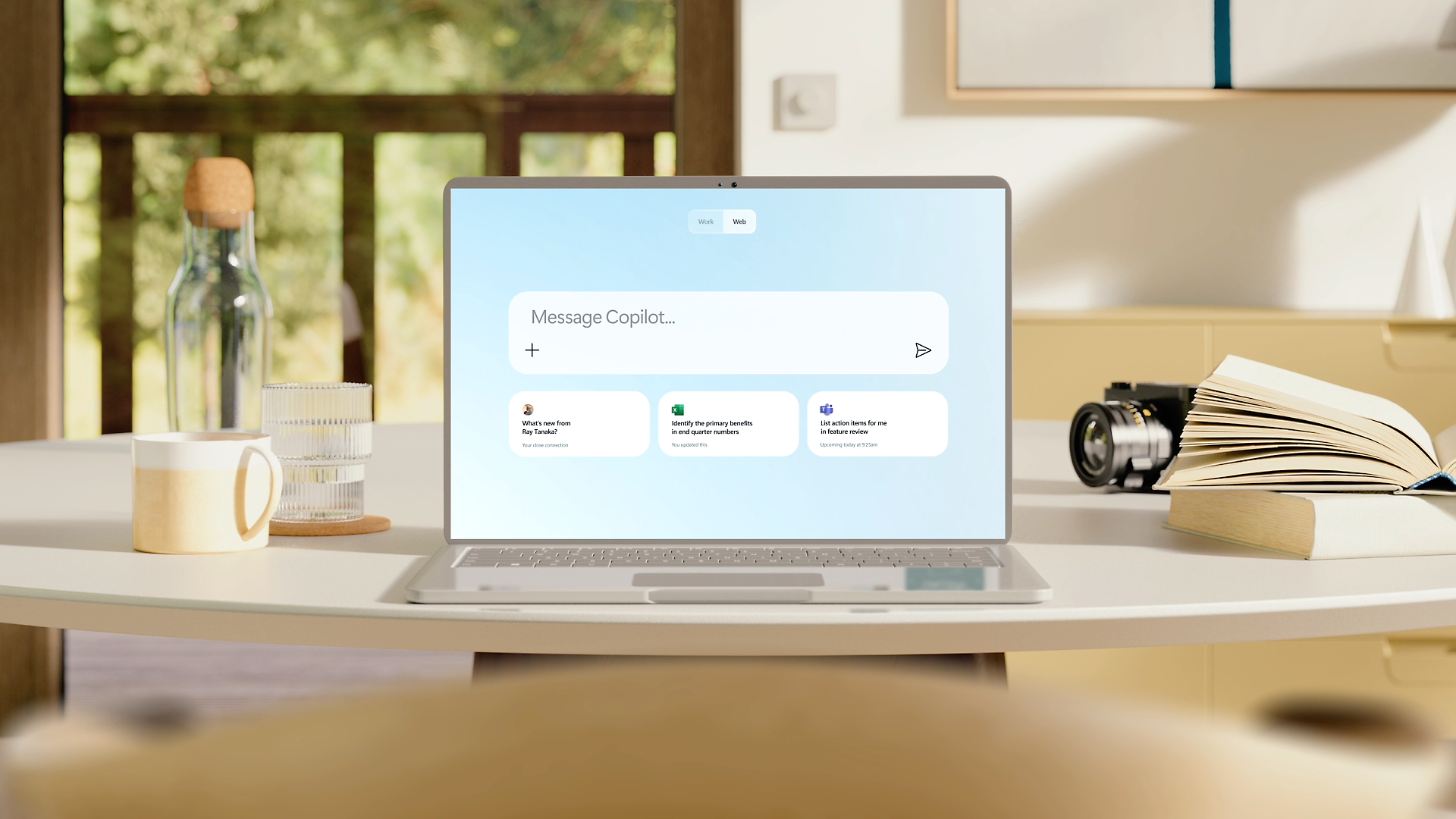
Copilot is the mirror image of Gemini: AI embedded where Office work happens. It drafts in Word, builds formulas and cleans data in Excel, summarizes threads in Outlook, generates decks in PowerPoint and recaps meetings in Teams. For organizations already paying for Microsoft 365, it's the lowest-friction way to put AI in front of every employee.
The catch is cost stacking ($30/user/month on top of an M365 subscription) and the same ecosystem lock-in logic as Gemini: outside Microsoft's apps, it's a mid-pack chat assistant.
| PROS | CONS |
+ Native AI in Outlook, Word, Excel, PowerPoint, Teams + Enterprise-grade admin, security and compliance + Meeting recaps and email triage where you already work | – Requires an M365 subscription on top of $30/user – Little reason to choose it outside Microsoft's stack |
| Best for: companies and professionals standardized on Microsoft 365. | |
The Verdict after Discussion
ChatGPT vs. Claude vs. Gemini: the $20 question
All three cost the same and all three are excellent, so the decision is about shape, not quality. ChatGPT wins on breadth and ecosystem: voice, images, custom GPTs, and the largest user community mean more tutorials, templates and integrations for whatever you're doing. Claude wins on depth: reviewers consistently rate it strongest for long documents, careful writing and structured reasoning, and its 200K context makes it the pick when your input is a 150-page PDF rather than a two-line prompt. Gemini wins on location: if your working life is Gmail, Docs and Sheets, an AI that already sits inside those apps beats a smarter AI in a separate tab. A practical pattern many professionals adopt: Gemini or Copilot for in-app work, plus ChatGPT or Claude as the “thinking” tool.
Lindy vs. Motion: buying autonomy
Both act without being asked, but they automate different things. Motion is a specialist: it owns your calendar and task list, costs $19/month, and works almost immediately out of the box. Lindy is a generalist agent: it spans email, scheduling, CRM updates and multi-step follow-ups, but demands hours of configuration and $49.99+/month. The honest heuristic from 2026 testing: if your pain is time (an overloaded schedule), buy Motion; if your pain is volume (a relentless inbox and follow-up load), Lindy's setup cost pays back within weeks.
On-demand vs. autonomous: the real dividing line
The deepest split in 2026 isn't between brands, it's between tools that wait and tools that work. Stanford HAI's 2026 AI Index flags the sharp acceleration of agentic AI as the defining theme of the year, and the market data agrees: the category is growing at roughly 42% annually as assistants move from answering questions to closing loops. With knowledge workers losing 11.7 hours a week to email alone, an assistant that clears the routine 80% overnight compounds in a way a chat window never can. But autonomy costs more, requires trust and setup, and still needs supervision. Most people's optimal stack in 2026 is one of each: a ~$20 on-demand assistant for thinking, and, if the volume justifies it, one autonomous tool for doing.
Table 2. Decision guide: match the tool to your situation
| If you | Choose | Why |
|---|---|---|
| Want one assistant for everything, starting free | ChatGPT | Widest capability at every price point |
| Work in long documents, reports, or careful prose | Claude | Best long-context and writing quality |
| Live in Gmail / Google Docs | Gemini | AI where your data already is |
| Run on Microsoft 365 at work | Copilot | Native Office + enterprise controls |
| Need cited, current, verifiable answers | Perplexity | Source-grounded research engine |
| Are buried in email, scheduling & follow-ups | Lindy | True background automation across apps |
| Fight your calendar more than your inbox | Motion | AI-optimized scheduling & focus time |
| Want capable all-round AI on a tight budget | Redeepseek | Full toolkit from $10/month |