
The fastest-growing channels in 2026 are not the best editors. They have the right tools at every stage. We tested nine AI tools across the whole YouTube workflow and compared them on price, features, and real user ratings, so you can build a stack that fits how you create.
00:01 Plan & Optimize vidIQ | 00:02 Script to Video Pictory | 00:03 AI Avatars Synthesia · HeyGen | 00:04 Voice & Dub ElevenLabs | 00:05 Generate Runway | 00:06 Edit Descript · CapCut | 00:07 Repurpose OpusClip |
No single tool does it all
AI has not replaced the creative work that makes a great channel. It has removed the tedious parts that stop creators from publishing consistently. The trick is matching each tool to a job, not hunting for one app that does everything.
800M+ monthly active CapCut users by April 2026 (Sensor Tower) | 54% of independent creators use CapCut as their primary editor (HubSpot 2025) | 94% of marketers plan to use AI in content creation in 2026 (HubSpot) |
We weighed output quality, ease of use, pricing, languages, and how well each tool fits a real creator workflow. Below, every tool is mapped to the stage it is best at, from finding the idea to cutting Shorts. Most creators do their best work with a focused stack of two or three.
Best AI tool for every job
There is no single best, it depends on the job in front of you. Here are the standout picks by use case; full breakdowns follow below.
BEST ALL-IN-ONE EDITOR EDITOR’S PICK Descript Edit video by editing the transcript. The fastest path for talking-head, vlog, and podcast content. | BEST FREE EDITOR CapCut A genuinely complete editor at $0, with no watermark on standard exports and a big AI toolkit. |
BEST FOR SHORTS OpusClip Turns one long video into 10 to 30 vertical clips, ranked by an AI virality score. | BEST AI AVATARS (FACELESS) Synthesia & HeyGen Type a script, pick a presenter, get a polished video in 140 to 175+ languages. No camera. |
BEST VOICEOVER & DUBBING ElevenLabs The most natural AI narration and voice cloning, plus emotion-preserving dubbing in 90+ languages. | BEST FOR YOUTUBE SEO vidIQ Keyword research, daily AI ideas, and an AI Coach that tells you what to make next. |
All nine tools, compared
Ordered by where they fit in the workflow. “From” shows the cheapest paid plan (monthly list, USD); free-tier availability is noted separately. Ratings are indicative and vary by source.
| TOOL | BEST FOR | FREE | FROM | RATING |
|---|---|---|---|---|
vidIQ 01 · plan & optimize | YouTube SEO, ideas & titles | Free | $15/mo | ★ 4.5 |
Pictory 02 · script to video | Faceless video from text/blogs | Trial | $19/mo | ★ 4.6 |
Synthesia 03 · ai avatars | Presenter videos at scale | Free | $29/mo | ★ 4.7 |
HeyGen 03 · ai avatars | Realistic avatars + dubbing | Free | $29/mo | ★ 4.8 |
ElevenLabs 04 · voice & dub | Voiceover & voice cloning | Free | $5/mo | ★ 4.6 |
Runway 05 · generate b-roll | Generative video & VFX | Free | $15/mo | ★ 4.5 |
Descript 06 · edit | Text-based editing | Free | $24/mo | ★ 4.6 |
CapCut 06 · edit | Free all-in-one editing | Free | $10/mo | ★ 4.6 |
OpusClip 07 · repurpose | Long video to viral Shorts | Free | $15/mo | ★ 4.7 |
Sources: official pricing pages plus 2026 reviews on G2, Capterra, Trustpilot and app stores. Several tools use credit systems and regional pricing; annual billing is typically 15 to 40% cheaper. Verify before purchase.
What you’ll actually pay
Entry pricing runs from ElevenLabs at $5/mo to the avatar platforms at $29/mo. Eight of the nine have a real free tier; Pictory is the only one that is trial-only. All figures monthly list, USD.
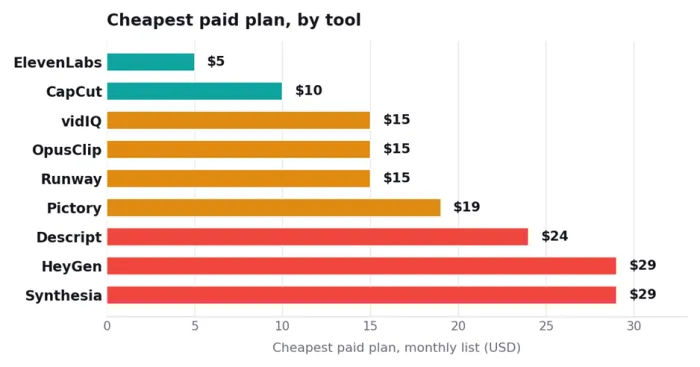
Monthly list prices. Annual billing cuts most tools 15 to 40% (Synthesia/HeyGen to about $18 to 24/mo; CapCut Pro to about $15/mo). Credit-based tools can cost more at high volume.
Where the value sits
Plotting entry price against user rating shows where satisfaction is high without a high price. Tools toward the upper-left give you the most for the least.
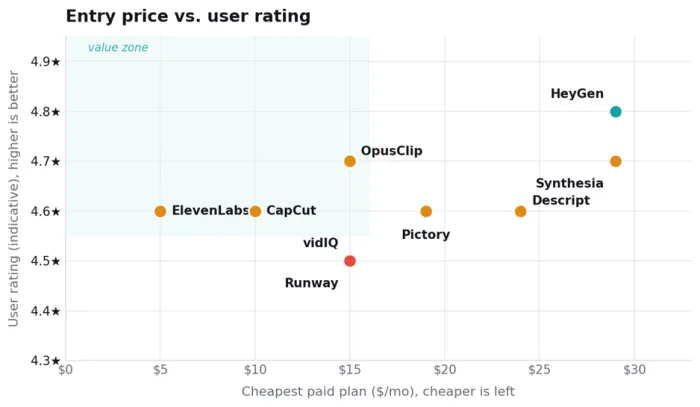
Ratings are indicative (G2, or app-store for CapCut) and vary widely by platform; HeyGen and CapCut score far lower on Trustpilot over billing. ElevenLabs and CapCut anchor the value zone on price.
The capability matrix
Each tool is built for one or two jobs. This grid shows where each one is strong, partial, or simply does not play.
| TOOL | FREE | EDITING | AI GEN | AVATARS | VOICE/DUB | REPURPOSE | SEO |
|---|---|---|---|---|---|---|---|
| vidIQ | ✓ | – | – | – | – | ~ | ✓ |
| Pictory | ~ | ~ | ~ | – | ✓ | ~ | – |
| Synthesia | ✓ | ~ | ✓ | ✓ | ✓ | – | – |
| HeyGen | ✓ | ~ | ✓ | ✓ | ✓ | – | – |
| ElevenLabs | ✓ | – | – | – | ✓ | – | – |
| Runway | ✓ | ✓ | ✓ | ~ | ~ | – | – |
| Descript | ✓ | ✓ | ~ | ~ | ✓ | ~ | – |
| CapCut | ✓ | ✓ | ~ | ~ | ✓ | ~ | – |
| OpusClip | ✓ | ~ | ~ | – | – | ✓ | – |
✓ Full feature ~ Partial / basic – Not available
Every tool, broken down
Walking the production timeline from start to finish: what each tool is, who it is for, what it costs, and the honest trade-offs.
vidIQ
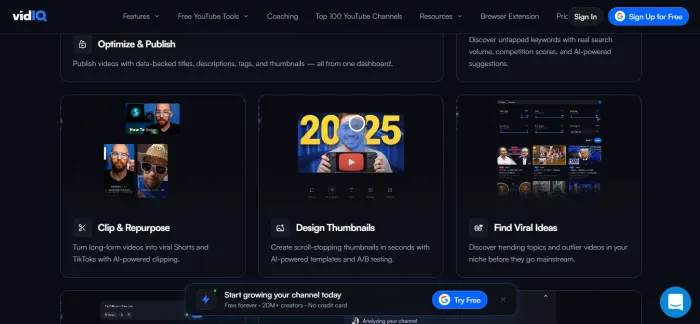
Best for YouTube SEO & ideas
$15/mo Pro · free tier · 4.5★ indicative
The difference between channels that grow and ones that stall is usually knowing what to make. vidIQ layers keyword research, competitor tracking, daily AI video ideas, and an AI Coach right on top of YouTube, so you start from data instead of a blank page.
KEY FEATURES keyword & SEO scores, Daily Ideas, AI Coach & Copilot, competitor tracking, title and description generator, browser extension.
PROS • Functional free tier to start • Strong keyword and competitor data • AI ideas remove the blank-page problem | CONS • Full AI suite needs Boost (about $39/mo) • AI credits cap; suggestions can feel generic • Shows what works, not how to make it |
Pictory
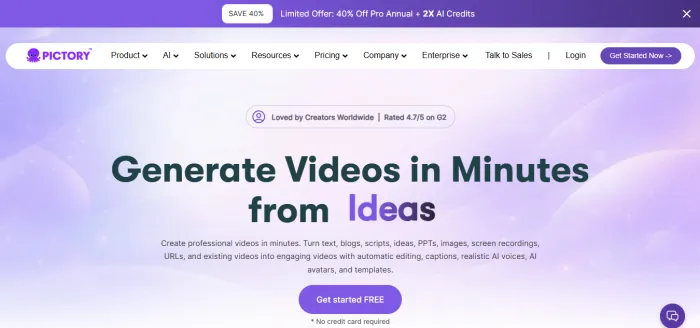
Best for faceless video from text
$19/mo from (Starter) · 4.6★ indicative
Paste a script, blog post, or URL and Pictory assembles a video: matching stock footage, AI voiceover, and captions, with no editing skill required. It is a favourite for faceless channels and repurposing written content at scale.
KEY FEATURES script/blog/URL-to-video, 18M+ stock assets (Getty/Storyblocks), ElevenLabs voiceovers, auto-captions, video summarization, 29 languages.
PROS • Fastest script-to-video workflow • Large, commercially safe stock library • Great for repurposing blogs | CONS • Stock footage only, no AI scenes or avatars • No permanent free plan (trial only) • Template-constrained look |
Synthesia
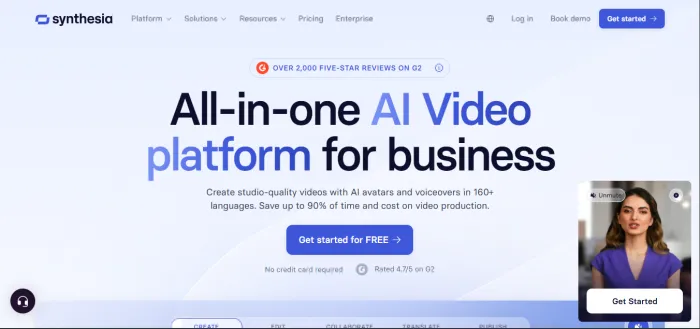
Best presenter videos at scale
$29/mo Starter · free tier · 4.7★ G2
The category leader for AI presenter videos. Type a script, pick from 240+ avatars in a PowerPoint-style editor, and publish in 140 to 160+ languages. Consistent and stable across longer videos, ideal for explainers, tutorials, and faceless education.
KEY FEATURES 240+ avatars, 140 to 160+ languages, one-click translation, AI Playground (Veo 3.1 + Sora 2 B-roll), SCORM export, SOC 2 / enterprise security.
PROS • Consistent avatars over long videos • Widest language coverage • Predictable, minute-based pricing | CONS • Avatars less expressive than HeyGen • Free tier watermarked, no MP4 download • Custom avatar is a $1,000/yr add-on |
HeyGen
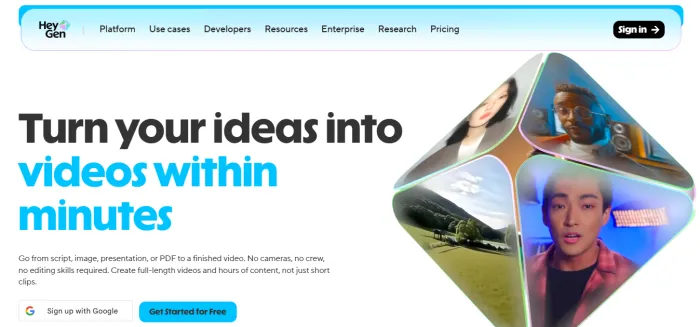
Best realistic avatars + dubbing
$29/mo Creator · free tier · 4.8★ G2
HeyGen pushes for realism. Its Avatar IV model renders natural head tilts, micro-expressions, and tight lip-sync, and its video translation re-voices an existing clip into 175+ languages. The most lifelike presenter for short-form and social.
KEY FEATURES Avatar IV (expressive), 500+ avatars, 175+ languages, video translation and dubbing, voice cloning, generate from script, PDF, or slides.
PROS • Best-in-class avatar realism • Unlimited 1080p on Creator • Strong dubbing in 175+ languages | CONS • Premium credits (Avatar IV) burn fast • Costs feel unpredictable at volume • Low Trustpilot score over billing |
ElevenLabs
Best AI voiceover & dubbing
$5/mo Starter · free tier · 4.6★ indicative
The benchmark for realistic AI speech. Clone your own voice from a few minutes of audio, narrate scripts in dozens of languages, or use Dubbing v2 to localize a finished video while preserving tone and pacing. A 10-minute script costs cents versus hundreds for a voice actor.
KEY FEATURES ultra-realistic TTS, instant and professional voice cloning, Dubbing v2 (90+ languages), 1,000+ stock voices, API.
PROS • Most natural voices on the market • Commercial use from just $5/mo • Excellent multilingual dubbing | CONS • Credit limits; overages add up • Free tier is non-commercial only • Audio only, pair with a video tool |
Runway
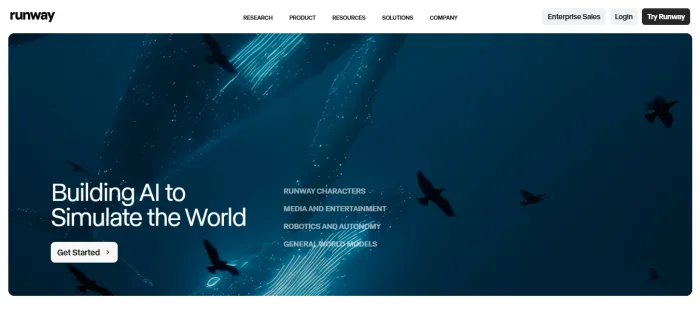
Best generative video & VFX
$15/mo Standard · free tier · 4.5★ indicative
Generate cinematic B-roll, intros, and effects shots from a text prompt or image. Beyond its own Gen-4.5 model, one Runway subscription bundles Veo 3.1, Kling 3.0, Seedance, and FLUX, plus pro tools like Aleph editing, Act-Two performance capture, and green screen.
KEY FEATURES Gen-4.5 text/image-to-video, multi-model access (Veo, Kling, Seedance, FLUX), Aleph in-context editing, green screen, 4K upscaling.
PROS • Cleanest creative pipeline and editing UI • Many top models in one subscription • Strong character consistency across shots | CONS • Credits vanish fast on flagship models • 16-second clip cap; no native audio • Credits do not roll over (except top tier) |
Descript
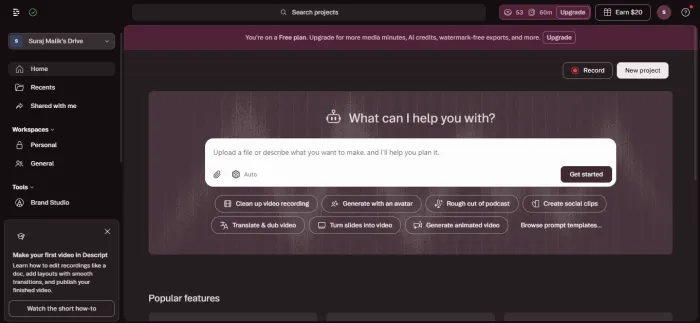
Best all-in-one editor
$24/mo from · free tier · 4.6★ G2 · 4.7 Capterra
Descript turns video into a transcript you edit like a doc: delete a word and the footage goes with it. Add Studio Sound, filler-word removal, Eye Contact, Overdub voice cloning, and the Underlord AI agent, and it is the fastest editor for talking-head and podcast content.
KEY FEATURES text-based editing, Studio Sound, filler-word removal, Eye Contact, Overdub, Underlord agent, screen and remote recording.
PROS • Best-in-class text-based editing • Huge time-saver for dialogue content • Free tier to learn the workflow | CONS • 2025 move to media-minutes + AI credits • Heavy AI use can cause bill shock • Creator ($24/mo) is the realistic tier |
CapCut
Best free all-in-one editing
Free Pro $19.99/mo · 4.6★ App Store
ByteDance’s CapCut is the most capable free editor available: full timeline, effects, auto-captions, and no watermark on standard exports. Pro adds Magic Studio AI (object removal, 4K upscale, AI avatars, voice cloning) and 4K export.
KEY FEATURES full mobile/desktop/web editor, auto-captions, Magic Studio AI, templates, text-to-speech, background removal, 4K (Pro).
PROS • Genuinely complete editor at $0 • No watermark on standard exports • Great for Shorts and quick edits | CONS • 2026 price hike: Pro now $19.99/mo • Free AI features are usage-capped • Low Trustpilot score over billing |
OpusClip
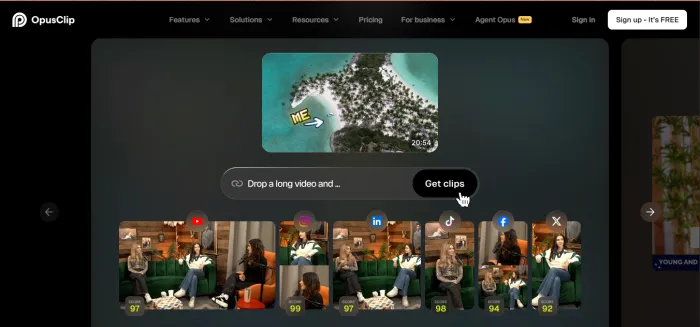
Best long video to viral Shorts
$15/mo Starter · free tier · 4.7★ indicative
Upload a long video and OpusClip extracts the 10 to 30 most engaging moments as captioned vertical clips, each scored for viral potential. ClipAnything works on any genre, vlogs, gaming, interviews, and Pro adds B-roll, editing, and direct scheduling to Shorts.
KEY FEATURES AI clipping + virality score, ClipAnything (any genre), animated captions, subject tracking, AI B-roll, multi-platform scheduling.
PROS • Best-in-class clip selection • Virality score prioritizes your effort • Schedules straight to Shorts/Reels/TikTok | CONS • Editing and B-roll are Pro-gated ($29/mo) • Processing-minute caps; no rollover • Clips often need a review pass |
Whole-video generators and the rest of the field
Prompt-to-video & frontier models InVideo AI generates a complete video, script, footage, voiceover, captions, from one prompt, with no per-credit system for standard videos (Free; Plus $25/mo, Max $60/mo, Generative $120/mo with Sora 2 and Veo 3.1). It is the simplest type-an-idea-get-a-video option. Google Veo 3 is free directly inside the YouTube Shorts app, and Sora 2 ships in ChatGPT, both produce photoreal clips with sound for quick B-roll. Other strong specialists: Submagic for Shorts captions, B-roll and effects (from about $12/mo), Klap and Vizard as OpusClip alternatives for clipping, and TubeBuddy as a cheaper vidIQ alternative for SEO (from about $4.99/mo). No single tool wins everything, the strongest creators layer a planner, a generator or editor, and a clipper. |
So which should you pick?
Match the tool to the job in front of you. Here is the quick call for the most common YouTuber goals.
You want to edit talking-head or podcast videos fast → Descript | You want a powerful editor for $0 → CapCut |
You want to turn long videos into Shorts → OpusClip | You want faceless videos with an AI presenter → Synthesia / HeyGen |
You need natural voiceovers or dubbing → ElevenLabs | You want cinematic B-roll or VFX shots → Runway |
You want to turn blogs or scripts into videos → Pictory | You want better titles, topics, and growth → vidIQ |