Every one of these tools turns a dense document into something you can question, quote, and cite. Here is what each does best, measured on the specs that matter to students and researchers, not marketing copy.
If you have ever opened a 60-page paper at 11pm and known you only need the one number buried in the methods section, this category is for you. AI document analysis tools do a narrow thing exceptionally well: you upload a file, ask a question in plain language, and get an answer with a citation pointing to the exact page, so you can verify it instead of trusting it blindly.
That last part matters. Every tool below can hallucinate, and the good ones are built around making claims checkable. The difference between them is not whether they chat with a PDF, because they all do. It is what happens when you push harder: querying fifty sources at once, extracting structured data into a table, running a PRISMA-compliant systematic review, or turning a reading list into a podcast for the commute.
Below, each tool is broken down by what it is genuinely built for, with real page limits, real prices, and the specific task where it beats the others. Jump to any one.
| 01 | Elicit Systematic reviews and structured data extraction | Free / $49 Pro/mo |
| 02 | Google NotebookLM Chat across up to 50 sources; podcast overviews | Free / $7.99 Plus/mo |
| 03 | SciSpace Search, read, cite and format in one suite | Free / $12 Premium/mo |
| 04 | ChatPDF Single-PDF Q&A, no signup, answers in seconds | Free / $19.99 Plus/mo |
| 05 | Humata AI Cheapest student tier; team libraries and OCR | Free / $1.99 Student/mo |
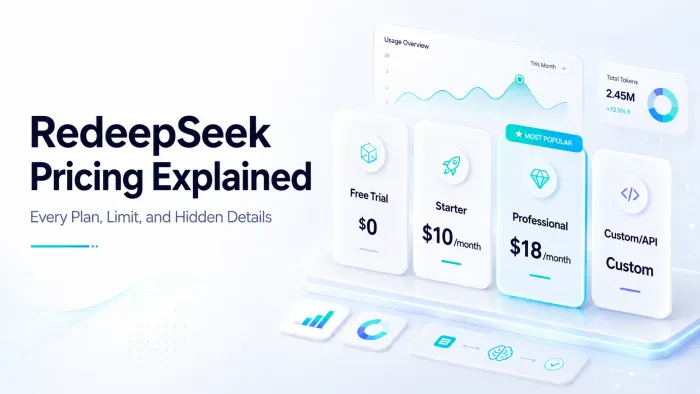
| 06 | ReDeepSeek Documents plus writing, code and cited web search | Free / $10 Starter/mo |
BEFORE YOU PICK, CHECK THIS OUT
Six things that separate a useful tool from a frustrating one
01 / grounding
Does it answer from your file?
The best tools answer only from your uploaded source and refuse to pad it with general knowledge. That is what makes an answer trustworthy.
02 / citations
Can you trace every claim?
Page-level or sentence-level citations let you jump to the source and confirm it. Without them, you are back to reading the whole thing.
03 / multi-document
One PDF, or fifty?
Single-doc chat is fine for a quick question. Literature reviews need to query across a whole corpus at once, a very different capability.
04 / tables and figures
Can it read the hard parts?
Clinical outcomes and data live in tables and figures. Many tools skip these entirely. Extraction quality here is a real dividing line.
05 / the free tier
Is free actually usable?
Free ranges from genuinely generous to 60 pages a month. Match the ceiling to how much you will really upload before you commit.
06 / privacy
Where do your files go?
Everything here is cloud-based. For confidential or sensitive documents, check each tool data-retention and encryption posture first.
THE SHORTLISTED TOOL
Elicit - RESEARCH PICK
SYSTEMATIC REVIEWS & DATA EXTRACTION ★ 4.7 · PRISMA 2020 workflow, 138M-paper search
Elicit is not a chatbot with a search bar. It is a purpose-built engine for the part of research that actually eats your weeks: screening thousands of abstracts and pulling structured data out of PDFs. It searches 138 million papers via semantic (not keyword) matching, and every table cell and report sentence links back to a supporting quote in the source.
| CORPUS | 138M+ papers and 545k clinical trials (via Semantic Scholar) |
| FREE TIER | Unlimited search and summaries. 2 reports/mo. 2 table columns |
| PRO PLAN | $49/user/mo (about $32 annual). Screens up to 5,000 papers. 20 columns |
| PROVEN ACCURACY | 96.9% screening sensitivity vs 994 Cochrane reviews; 99.4% extraction on a German policy review |
| BEST FOR PhD candidates and evidence-synthesis teams running PRISMA 2020 systematic reviews, and anyone who needs to extract sample sizes, effect sizes, or methods from dozens of papers into one comparison table. |
WHERE IT WINS
- Only tool here with a true PRISMA-auditable review workflow: exclusion reasons, per-criterion scores, quotes
- Extracts from tables and figures, where clinical data actually lives
- Reports synthesize up to 200 papers with sentence-level citations
- Shareable, reproducible process links let recipients audit every step
WATCH OUT FOR
- Free tier 2 reports and 2 columns is exhausted within days of real work
- Jump from free to Pro ($49) is steep; alerts are Pro-only
- Built for empirical fields, weaker on sparse or humanities literature
- Independent field tests show recall drops on complex real-world search strategies
Google NotebookLM - 50 SOURCES FREE
MULTI-SOURCE SYNTHESIS & AUDIO STUDY ★ 4.6 · 50 sources & 1M-token context, free
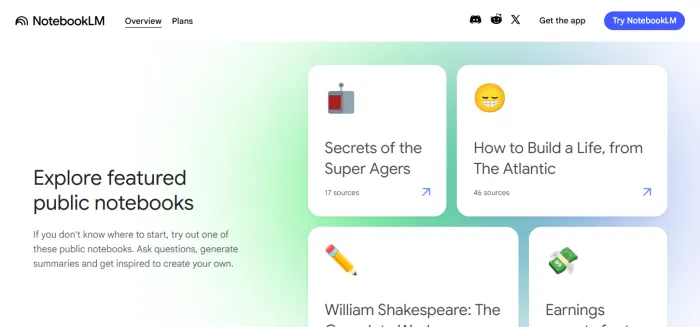
The NotebookLM strength is answering across a whole project at once. Load up to 50 sources into one notebook (PDFs, Google Docs, YouTube videos, EPUBs) and it answers strictly from them, with citations, on a 1M-token context window. Then its Audio Overview turns those sources into a two-host podcast you can interrupt and question mid-playback.
| MODEL | Gemini 3. 1M-token context on every tier |
| FREE TIER | 100 notebooks. 50 sources each. 50 chats/day. 3 Audio Overviews/day |
| PAID | Plus $7.99/mo (100 sources). Pro $19.99/mo (300 sources, Deep Research 20/day). Student Pro $9.99 |
| PER-SOURCE CAP | 500,000 words or 200MB, same on all tiers, no page limit |
| BEST FOR Students building a study set from lecture notes, textbooks and recordings, then generating flashcards, quizzes, mind maps or a podcast recap. Also strong for a bounded research project with a fixed pile of sources. |
WHERE IT WINS
- Answers grounded across all 50 sources at once, with citations, free
- Audio and Video Overviews, flashcards, quizzes, study guides included on free tier
- Interactive Mode: pause the Audio Overview, ask a question, resume
- Now mountable in the Gemini app to search across separate notebooks
WATCH OUT FOR
- Notebooks are siloed, no native cross-notebook search without the Gemini workaround
- Files process on Google servers; not ideal for confidential material
- No standalone purchase, paid tiers are bundled into Google AI plans
- Daily chat and audio caps shape heavy-user behavior on free
SciSpace - BEST ALL-ROUNDER
END-TO-END ACADEMIC WORKFLOW ★ 4.4 · 280M papers + 40k journal templates
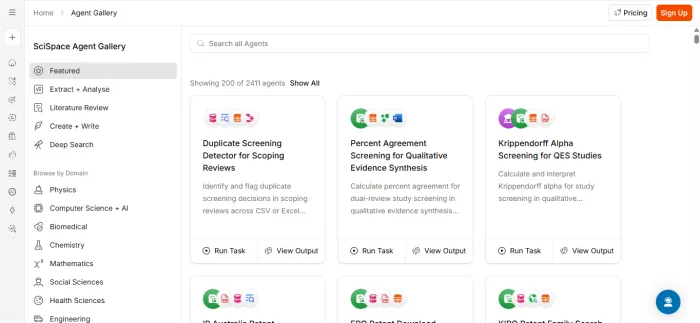
SciSpace (formerly Typeset) tries to hold your entire research lifecycle under one roof. Its Chat with PDF answers from specific sections with citations and explains jargon as you read; its Deep Review digs across 280M+ papers; and an AI Research Agent chains 150+ academic tools so a single prompt can search, summarize, extract, and start a draft.
| CORPUS | 280M+ papers and 50M open-access full-text PDFs |
| FREE TIER | Limited Copilot queries. Basic lit review. Citation extraction. 100 agent credits |
| PAID | Premium $12/mo (unlimited Copilot and summaries). Teams/Lab $20/user/mo (5 seats $100) |
| EXTRA TOOLS | 40,000+ journal templates. Paraphraser. AI detector. Citation generator |
| BEST FOR Undergrad and grad students who want one subscription that covers reading, literature search, citation management, and journal-formatted writing, without stitching together five separate tools. |
WHERE IT WINS
- $12/mo unlocks unlimited Copilot, summaries and paraphrasing in one place
- Highlight any sentence and Copilot explains the jargon inline as you read
- Deep Review compares and summarizes multiple PDFs to spot conflicting claims
- Free Chrome extension runs on Google Scholar, PubMed and journal sites
WATCH OUT FOR
- Agent runs burn credits fast, 100 free credits cover only 1 to 2 projects
- Feature set can feel sprawling and uneven across disciplines
- The 150+ tool AI Research Agent has the steepest learning curve of any tool here
- Weaker coverage of non-English academic formats
ChatPDF - NO SIGNUP TO START
FAST SINGLE-DOCUMENT Q&A ★ 4.2 · 3 to 5s answers, no account to start
ChatPDF does one thing and does it cleanly: drag a PDF in, ask questions, get citation-backed answers in 3 to 5 seconds regardless of length. The side-by-side view puts chat and document together, and clickable citations scroll straight to the source. No folders, no notebooks, no account required to try it.
| FORMATS | PDF, Word, PowerPoint, Markdown, text. EPUB on higher tier |
| FREE TIER | 2 PDFs/day. 120 pages each. 50 questions/day. No account needed |
| PAID | Plus about $19.99/mo. Files up to 2,000 pages. Unlimited questions. PPP regional pricing |
| SPEED | Builds a vector index in 5 to 10s for a 100-page doc; answers in seconds |
| BEST FOR Anyone who needs a quick answer from a single document with zero setup: triaging a paper, checking a contract clause, or working through one textbook chapter faster than reading it linearly. |
WHERE IT WINS
- Side-by-side view with clickable citations that scroll to the exact page
- Free tier of 2 PDFs and 50 questions a day needs no account to test
- Ask in one language about a PDF written in another and get answers back translated
- Define custom chapters in a long PDF to scope answers to one section
WATCH OUT FOR
- No true multi-document conversation, each chat is one PDF
- Weak on tables, charts and figures
- The 120-page-per-file free cap forces splitting most textbooks and long reports
- At about $20/mo it overlaps frontier chatbots that read PDFs natively
Humata AI - $1.99 STUDENT PLAN
BUDGET & TEAM DOCUMENT ANALYSIS ★ 4.0 · $1.99 student tier, SOC 2 Type II
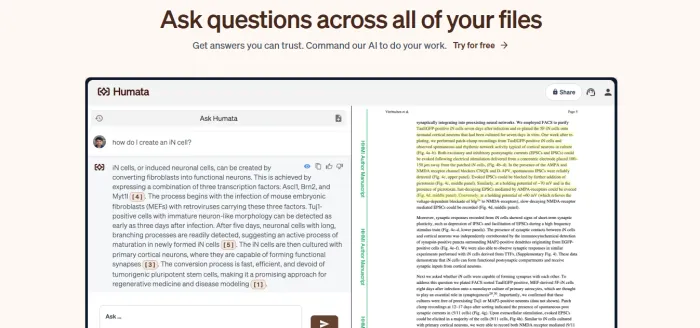
Humata is the budget-conscious pick: cited Q&A across PDFs, Word files, spreadsheets and OCR-ed scans, with every answer linking back to a highlighted page. It handles multi-file querying for comparative analysis, and its $1.99/month student plan is the cheapest serious tier in this roundup, backed by SOC 2 Type II and role-based team controls.
| FORMATS | PDF, Word, Excel, scanned docs (OCR), YouTube links |
| FREE TIER | 60 pages/mo. 10 questions total, enough for a single long doc |
| PAID | Student $1.99/mo (200 pg). Expert $9.99/mo (500 pg, 3 users). Team $49/user/mo (5,000 pg) |
| SECURITY | 256-bit SHA encryption. SOC 2 Type II. Role-based access. Private cloud |
| BEST FOR Budget-conscious students who need cited answers cheaply, and small teams that want shared document libraries with access controls and an embeddable website widget. |
WHERE IT WINS
- $1.99/mo student tier (verified .edu) covers 200 pages a month
- Team plan adds shared files, role-based permissions and secure data rooms
- Reads scanned PDFs, Word and Excel files via built-in OCR
- Embed Humata Q&A into your own webpage with one click
WATCH OUT FOR
- Free tier 60 pages and 10 answers is too thin to properly evaluate
- Page-based pricing gets costly for heavy document volumes
- Analysis only: unlike the others, it will not draft or generate original content
- No podcast, flashcard or study-aid generation like NotebookLM
ReDeepSeek - NEW · ALL-IN-ONE
DOCUMENT ANALYSIS + WRITING + CODE + WEB ★ 4.3 · docs, images, code & web in one workspace
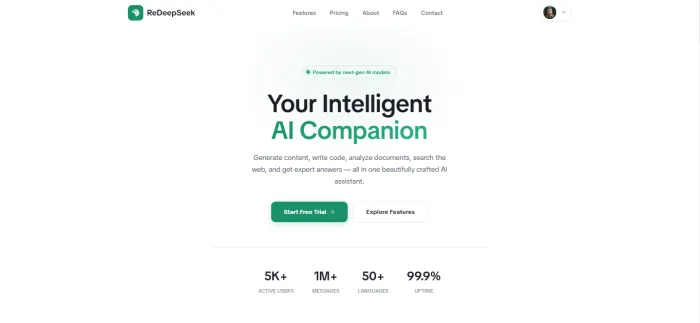
ReDeepSeek widens the frame: document and image analysis sit alongside a writing assistant, a 50+ language code assistant, and cited web search, all in one workspace powered by next-gen models. For a student who reads papers, drafts essays, and debugs code, it consolidates several subscriptions into a single $18/month Professional plan with unlimited messages.
| DOCUMENT ANALYSIS | Upload PDFs and images for summarization, data extraction, chart and screenshot Q&A |
| FREE TRIAL | 50 messages/day. Basic content generation. Single thread. No card required |
| PAID | Starter $10/mo (500 msg/day). Professional $18/mo (unlimited, doc and image analysis, 5-seat workspace) |
| REACH | 50+ languages. Web search with verifiable cited sources. 99.9% uptime |
| BEST FOR Students and professionals who do not want a single-purpose PDF tool. They want document analysis bundled with everyday writing, coding help, translation and live web search in one place, at a lower combined price than stacking separate apps. |
WHERE IT WINS
- One workspace handles PDF and image analysis, writing, code and web search
- Built-in web search returns cited, verifiable sources alongside answers
- Image input reads charts, screenshots and scanned pages, not just text
- $18/mo Professional tier lifts the message cap and adds a 5-seat workspace
- Code assistant and content generation span 50+ languages
WATCH OUT FOR
- Generalist by design: lacks Elicit's systematic-review workflow and the 100M+ paper corpus of SciSpace or Elicit
- No page-level academic corpus; sourcing comes from live web search, not an indexed paper database
- Document analysis is one feature among many, so per-file controls are lighter than a dedicated PDF tool
SIDE BY SIDE
The whole shortlist on one screen
| Tool | Built for | Free tier ceiling | Entry paid price | Multi-doc | Tables / figures | Corpus |
|---|---|---|---|---|---|---|
| Elicit | Systematic reviews and extraction | Unltd search. 2 reports/mo | $49/mo Pro | Yes, to 5,000 papers | Yes (best) | 138M papers |
| NotebookLM | Multi-source synthesis and audio | 50 sources. 50 chats/day | $7.99/mo Plus | Yes, 50 sources free | Partial | Your uploads |
| SciSpace | Full academic workflow | Limited Copilot queries | $12/mo Premium | Yes | Partial | 280M papers |
| ChatPDF | Fast single-doc Q&A | 2 PDFs/day. 50 Qs/day | $19.99/mo Plus | No | Weak | Your uploads |
| Humata AI | Budget and team analysis | 60 pages. 10 questions | $1.99/mo Student | Yes | Partial (OCR) | Your uploads |
| ReDeepSeek | Docs + writing + code + web | 50 messages/day | $10/mo Starter | Yes | Yes (image Q&A) | Live web search |
MATCH TOOL TO TASK
Still deciding? Start here.
- Running a systematic review
Elicit. Nothing else here offers PRISMA-auditable screening and figure-level data extraction across thousands of papers. The Pro tier pays for itself in one afternoon of saved screening.
- Studying from your own sources
NotebookLM. Free, grounded in up to 50 sources, and it turns them into flashcards, quizzes and a podcast you can question mid-listen. Hard to beat for exam prep.
- Want one tool for the whole thesis
SciSpace. Search, read, cite and format for a journal in a single $12/mo suite spanning 280M papers.
- One PDF, a few quick questions
ChatPDF. No signup, answers in seconds, jump-to-source citations. The lowest-friction option when you just need one answer.
- On a tight budget or in a small team
Humata AI. Cited answers from $1.99/mo for students, shared libraries and role controls for teams, plus OCR for scanned files.
- Reading, writing and coding at once
ReDeepSeek. Document and image analysis bundled with writing, a 50+ language code assistant and cited web search, one workspace instead of five subscriptions.
THE BOTTOM LINE
There is no single winner, there is a winner for your task
If your work is evidence synthesis, Elicit depth is unmatched and worth the price. If you are a student assembling a study set, NotebookLM does remarkable things for free. Need breadth over depth (reading papers, drafting, coding, searching the web from one place) and a newcomer like ReDeepSeek makes a real case on value.
Whatever you pick, one habit outlasts every tool on this list: verify against the source. These systems are built to make claims checkable precisely because they can still be wrong. The citation is not decoration, it is the whole point. Click it.