The content calendar was three weeks behind, and the draft folder reminded me of it every morning.
The Tool I Almost Dismissed
That was my situation in March, when someone in a marketing Slack group dropped a link to redeepseek.io and claimed it had cut their drafting time in half. I glanced at the name and assumed a misspelling of a well-known AI lab. Then I closed the tab.
That was a mistake, and I should clear it up before we go any further. RedeepSeek is not DeepSeek. It is a separate platform with its own website, pricing structure, feature set, and company behind it. The similarity in name sends a steady stream of people to the wrong destination. If you arrived here searching for one and finding the other, that is why.
I went back to that tab two days later and signed up for the free trial. Then I handed RedeepSeek all nine of the posts I owed. Some of what followed saved me hours. Some of it burned an afternoon and taught me nothing. This article walks through both, in the order I hit them, so you can skip the expensive parts.
What RedeepSeek Actually Does
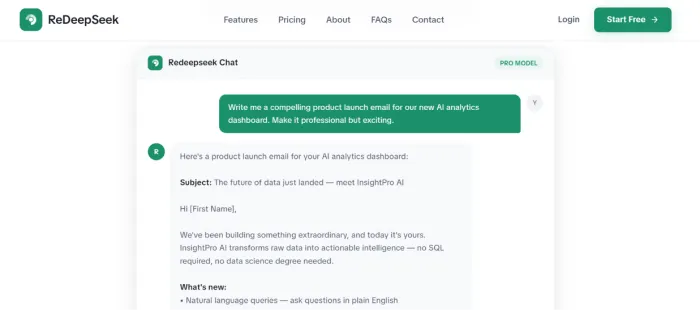
Strip away the marketing copy and RedeepSeek is a chat window. You type a request, the model reads it, text comes back. Then you argue with the result until it improves. There is no separate editor and no template gallery to click through.
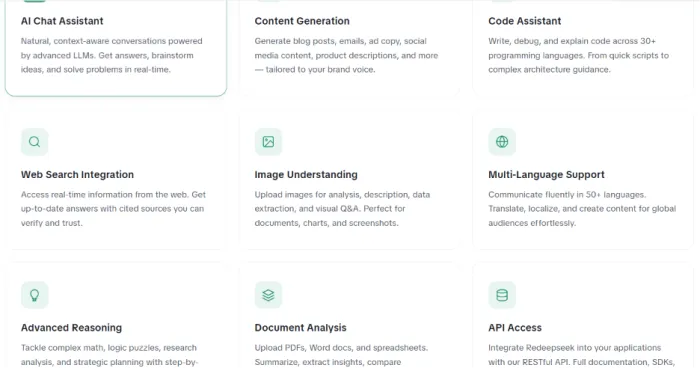
The platform lists twelve capabilities. Four of them matter to anyone writing content for a living:
- Content generation for blog posts, ad copy, product descriptions, social captions, and email
- Web search integration that pulls live information and returns cited sources you can open and check
- Document analysis for PDFs, Word files, and spreadsheets you upload as reference material
- Image understanding, which reads charts, screenshots, diagrams, and photographs you paste in
The rest (code assistance across 30+ programming languages, API access, team workspaces, workflow automation) exists for other kinds of users. A writer will never touch it.
Who it suits
Bloggers producing a steady weekly volume
- SEO writers who need meta copy and keyword coverage
- Freelance marketers juggling several client voices at once
- Small business owners writing their own product pages
- Social media managers stretching one idea across five platforms
- Students and researchers use it too. That sits outside what I tested, so I will leave it alone.
Getting Set Up
Signup took under a minute. No credit card. The free trial hands you 50 messages per day, standard response speed, basic content generation, and a single conversation thread. That last limit shaped how I worked more than anything else, and it comes back to bite in the drafting section below.
The interface is a single column. Your messages sit on one side and the assistant's replies on the other, with an input box anchored at the bottom. Everything you can do happens by typing into that box.
My first prompt was lazy, and I got what I deserved:
Write a blog post about email marketing.
Seven hundred words of grey filler came back. No audience, and nothing I would put my name on. That failure turned out to be the most useful thing that happened all week, because the distance between that prompt and the ones that worked is the entire subject of everything below.
Step One: Finding an Angle
Before drafting a word, I used RedeepSeek the way I would use a colleague at a whiteboard. Not to write anything. To widen the field of what I might write.
Here is the prompt that produced nothing:
Give me blog post ideas about digital marketing.
And here is the one that produced eleven ideas I actually wanted to write:
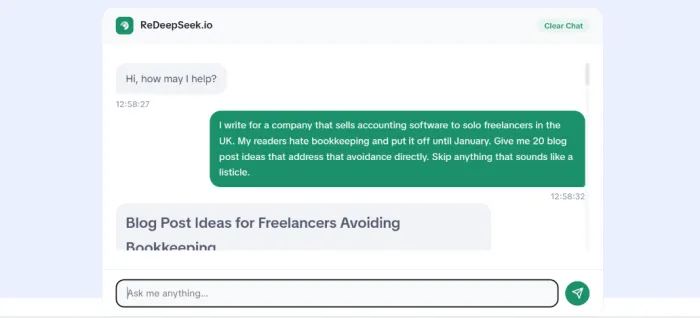
I write for a company that sells accounting software to solo freelancers in the UK. My readers hate bookkeeping and put it off until January. Give me 20 blog post ideas that address that avoidance directly. Skip anything that sounds like a listicle.
The difference is not length. It is constraint. The second prompt names the reader and the reader's emotional state, then names a format to avoid. RedeepSeek has nothing to work with beyond what you hand it. Vague input returns the statistical middle of everything the model has ever read, which is exactly as interesting as it sounds.
One follow-up earned its keep more than any other:
Take idea #7 and give me four contrarian angles on it. One of them should argue the opposite of the obvious position.
Contrarian angles are where these tools shine, because you can throw away fifteen of them at no cost. Generation is cheap. Judgment is not, and judgment stays with you.
Step Two: Building the Outline
Once I had an angle, I asked for structure. Across all nine posts, this stage is where RedeepSeek performed best.
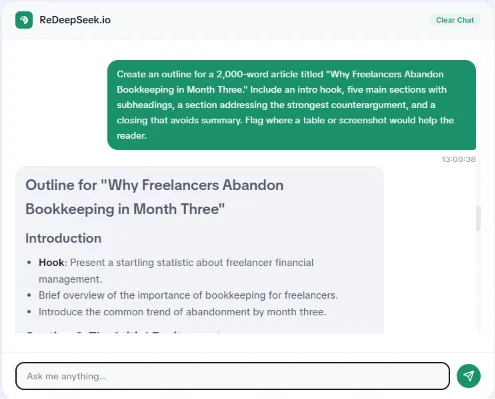
Create an outline for a 2,000-word article titled "Why Freelancers Abandon Bookkeeping in Month Three." Include an intro hook, five main sections with subheadings, a section addressing the strongest counterargument, and a closing that avoids summary. Flag where a table or screenshot would help the reader.
Two things stood out. It reliably built in a counterargument section, which most writers skip and most readers notice. And it placed visual breaks sensibly, flagging exactly the spots where a wall of text starts losing people.
What I rewrote by hand, every single time:
| What the outline gave me | What I replaced it with |
|---|---|
| A generic intro hook | A specific client story with a name and a date |
| A "Benefits of X" section | A section on what goes wrong and why |
| Evenly sized sections | Deliberately uneven ones |
| A conclusion restating the article | A final argument that lands somewhere new |
That last row matters more than the other three combined. Left to its own instincts, RedeepSeek always closed the outline with a summary section. Summaries are the least-read paragraphs in any article ever published. I cut them from all nine posts.
Step Three: The Draft, and the Mistake That Cost Me an Afternoon
Here is where the single conversation thread on the free tier turned into a real problem.
My instinct was to ask for the whole post at once. I typed "write the full 2,000-word article from the outline above" and waited. What arrived was 1,100 words that touched every heading and said almost nothing under any of them. Ask an AI for length and it will give you length-shaped text.
The method that worked was slower and better. I fed the outline back one section at a time.
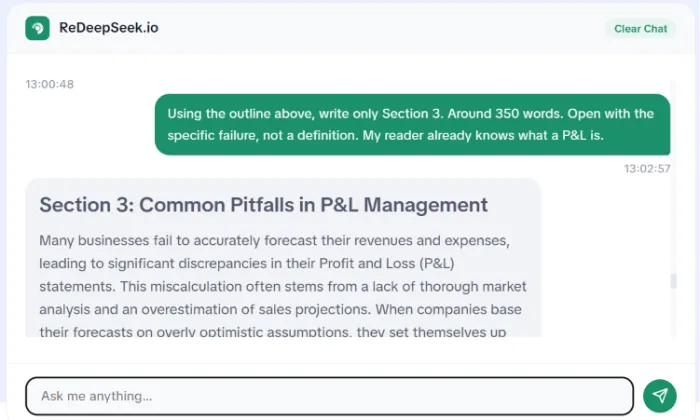
Using the outline above, write only Section 3. Around 350 words. Open with the specific failure, not a definition. My reader already knows what a P&L is.
Section by section, the drafts held their shape. Because RedeepSeek carries context across a conversation, it remembered the outline, the audience, the tone, and the word count I had set four messages earlier. I stopped fighting it and started feeding it.
Four habits I ended up with
- Never accept the first paragraph of any section. It is always a warm-up, and warm-ups belong in the bin.
- Ask for 300 words when you want 300 words. Ask for 2,000 and you get padding.
- Paste in a paragraph of your own writing as a tone sample before you ask for anything.
- Check every statistic against a real source. Step Five explains why.
Step Four: Editing, Where the Tool Earns Its Money
If I could keep one use for RedeepSeek and delete every other, I would keep this one.
By draft three I am too close to my own sentences to see them. RedeepSeek has no such handicap. It reads what is on the page instead of what I meant to put there.
Prompts I now use daily:
Rewrite this paragraph in a professional but warm tone. Keep every fact. Cut the word count by 30%.
This section drags. Point to the four sentences doing the least work.
Read this introduction as a skeptical reader who thinks AI writing tools are a scam. Where exactly do you stop believing me?
That third prompt found a problem no grammar checker would ever flag. It told me my opening promised a case study that the article never delivered. It was right, and I had read that introduction eleven times without noticing.
One warning, and it is the reason the section above insists on rewriting at sentence level. Ask RedeepSeek to "make this more engaging" and it reaches for the same four moves every time: a rhetorical question, a sentence fragment for emphasis, a closing line that opens with "The bottom line," and at least one paragraph beginning "But here is the thing." Learn its tics. Strip them out. Your readers have learned them too.
Step Five: The SEO Pass
Web search is the one thing RedeepSeek offers that a plain offline chat model cannot. It pulls live results and attaches sources you can open and verify. On the Professional plan this upgrades to web search with full citations.
I used it two ways.
Checking my own claims
Before publishing anything, I pasted every statistic from the draft and asked for a current source. Two numbers came back unverified, one from a report that had been revised since I saved it. Ninety seconds of checking, and both were corrected before anyone read them. The web search does this for claims from any origin, including your own notes.
Finding what already ranks
Asking what the top ten results for a keyword cover, then asking what all ten of them fail to mention, produced sharper content gaps than the manual competitor scan I had done for years.
For the mechanical parts, plain prompts do the job:
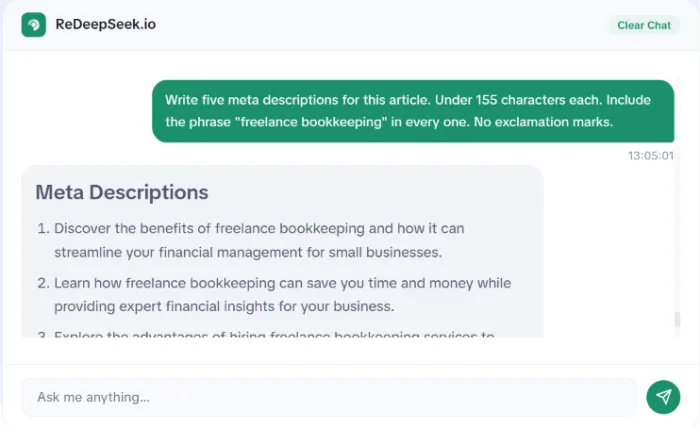
Write five meta descriptions for this article. Under 155 characters each. Include the phrase "freelance bookkeeping" in every one. No exclamation marks.
Do not ask it to optimize an article for a keyword. It will stuff. Ask it to tell you where the keyword is missing, then place the word yourself, in a sentence you wrote.
Step Six: One Article, Six Assets
The section above dealt with getting an article found. This one deals with getting it read somewhere else entirely.
Once a post was finished, I pasted the whole thing back into the chat and mined it.
| Asset | What I asked for |
|---|---|
| LinkedIn post | The single strongest argument, 150 words, first person, no hashtags |
| Newsletter intro | A 90-word tease that withholds the conclusion |
| Instagram captions | Four options, each built around one sentence lifted from the piece |
| X thread | Six posts, each able to stand alone if screenshotted |
| Product description | 60 words connecting the article's problem to what we sell |
| Ad copy | Three headline variants, none longer than nine words |
Eleven minutes. That block of work used to eat an afternoon. It is the clearest, most measurable time saving I found across the two weeks, and it is the reason I kept paying after the trial ended.
Working With Your Own Voice
Everything to this point assumes you have a voice worth protecting. That assumption deserves a paragraph of its own, because the default output has no voice at all.
The fix is unglamorous. Before any drafting prompt, I paste 200 words of my own published writing and say: match this. Sentence length, vocabulary, how often I use contractions, whether I open with the subject. RedeepSeek picks up rhythm better than it picks up personality, so it will approximate the shape of your sentences while flattening the opinions inside them. Put the opinions back yourself.
I keep a text file with four tone samples: one for my own blog, one for a fintech client who wants nothing playful, one for a lifestyle brand that wants nothing formal, and one for LinkedIn, where I sound like neither. Pasting the right one takes six seconds and saves an hour of rewriting.
The Prompts Worth Keeping
Everything above collapses into a short library. These are the prompts I paste in now without thinking about them.
| Purpose | Prompt |
|---|---|
| Ideas | "My reader is [specific person] who feels [specific frustration]. Give me 20 post ideas addressing that directly. No listicles." |
| Angles | "Give me four contrarian angles on this topic. One should argue the opposite of the obvious position." |
| Outline | "Outline a [word count] article on [topic]. Include a counterargument section. Flag where a table would help." |
| Tone match | "Here is a paragraph I wrote. [paste] Match this voice for the next section." |
| Draft | "Write only Section [N], around [N] words. Open with a specific example, not a definition." |
| Trim | "Cut 30% of this paragraph. Keep every fact intact." |
| Critique | "Read this as a skeptical reader. Where exactly do you stop believing me?" |
| Fact check | "Search the web for a current source for each statistic below. Flag any you cannot verify." |
| Meta copy | "Five meta descriptions, under 155 characters, containing [keyword]. No exclamation marks." |
| Repurpose | "Pull the strongest argument from this article into a 150-word LinkedIn post." |
Fifty messages a day is enough to evaluate the tool. It is not enough to run a content calendar on, which brings us to what that costs.
What It Costs
Pricing is refreshingly simple. Annual billing takes 20% off the monthly figure.
| Plan | Price | What a writer actually gets |
|---|---|---|
| Free Trial | $0 | 50 messages per day, one conversation thread, basic generation, no web search |
| Starter | $10/mo | 500 messages per day, web search integration, 50+ languages, 15-day history |
| Professional | $18/mo | Unlimited messages, web search with citations, document and image analysis, custom AI personas, 50-day history, 5-seat team workspace |
| Custom / API | Contact sales | Full REST API, SSO, custom rate limits, on-premise deployment |
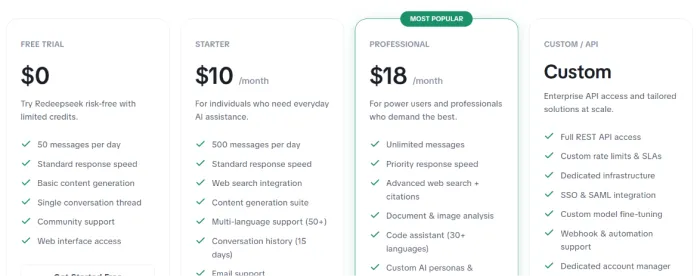
For content writing, Starter is the floor. Web search is absent from the free trial, and fact-checking is the last feature I would surrender after what it caught in my drafts. Professional earns its extra eight dollars if you publish more than four posts a month, mostly for the unlimited messages and the document upload.
What You Keep
Everything above is the long version, written for the first time you sit down with the tool. The second time is faster, and it is faster for reasons worth naming.
Skip the ideas step. Your first outline generated three angles you never used, and they are still sitting in the conversation. Keep a tone sample pasted at the top of every fresh chat before you type anything else. Stop asking RedeepSeek to make a paragraph more engaging, and start asking which four sentences are doing the least work. The first prompt produces prose. The second produces a decision, and decisions are the part of writing nobody can hand off.
What stays with me is the shape of those two weeks. RedeepSeek did not write my posts. It removed the friction from the parts of writing I dislike, meaning the blank page, the outline, the meta descriptions, the repurposing, and it handed back the parts I am actually paid for. My drafting time fell by roughly 40%. The hours I recovered went into editing, which is the work readers can tell you did.