AI can draft a 1,000-word article in twenty seconds. The problem is that most of the time, it reads like it took twenty seconds. Flat rhythm. The same connective phrases in every paragraph, and sentences that all run to a similar length. Readers feel it even when they can't name it, and increasingly, so do AI detectors.
If you publish anything at scale (blog posts, essays, client copy, a novel), the gap between "technically correct" and "actually sounds like a person wrote it" is where your credibility lives. This guide walks through the five AI writing tools that close that gap best in 2026, judged on how their output reads out loud, how much voice control they give you, what they cost, and where each one quietly falls short.
To keep this useful rather than generic, we've deliberately skipped the four general-purpose chatbots most people already know (ChatGPT, Claude, Gemini, and Perplexity). Those are fine starting points, but they're horizontal tools. The five below are built, or fine-tuned, specifically to make writing sound human.
At-a-glance comparison
| Tool | Best for | Core strength | Starting price (annual) | Free option |
| QuillBot | Students, ESL, all-round writers | Humanizer inside a full writing suite | ~$8.33/mo | Yes (limited) |
| Undetectable AI | Detector-conscious content | Dedicated humanizer + AI detection checks | ~$5/mo | 250-word trial |
| Jasper | Marketing teams | Trainable Brand Voice | $59/mo per seat | 7-day trial |
| Sudowrite | Fiction writers | Fiction-focused writing assistant | ~$10/mo | Free trial credits |
| Wordtune | Polishing existing drafts | Sentence rewrites and tone adjustments | ~$6.99/mo | Yes (limited daily usage) |
Prices reflect mid-2026 annual billing and change often, so confirm on each vendor's site.
Why AI-generated writing sounds robotic in the first place
Before ranking tools, it helps to understand the actual problem they solve. Machine-generated text fails in predictable, measurable ways.
The core issue is consistency. Large language models reach for the same transitional phrases ("moreover," "in today's fast-paced world," "it's important to note"). They hold their sentences at a similar length paragraph after paragraph and repeat structural patterns. To a human reader this feels flat and slightly hollow. To a statistical AI detector, that uniformity looks like a fingerprint, because human writing has burstiness and variety and predictable text doesn't.
Real human writing has a rhythm of its own: short punchy sentences bumping against longer, winding ones. It carries small quirks and emotional cues, along with word choices a probability model would never rank as "most likely." A genuine human-sounding tool goes past swapping synonyms. It restructures sentences, varies pacing, and reintroduces the natural imperfection that machine text sands away.
This matters more than ever in 2026 because detection has gotten aggressive. GPTZero shipped its Model 3.15b in early 2026 with benchmarks claiming high recall against text from more than a dozen rewriting tools, and Turnitin rolled out counter-humanizer detection back in 2025. At the same time, Stanford research has repeatedly shown these detectors throw false positives at non-native English speakers, flagging perfectly human essays as machine-written. The takeaway: no tool can guarantee a detector result, and you shouldn't trust one that promises it. The realistic goal is writing that reads as human, which is also, conveniently, writing people want to read.
How we evaluated these tools
Our rankings weigh four things that matter to real users rather than marketing claims. First, naturalness: does the output read like a person wrote it when you say it out loud, or just look clean on the page? Second, control: can you steer tone, register, and style, or are you stuck with one flavor? Third, fit for purpose: a fiction tool and a marketing tool solve different problems, and the "best" tool is the one aligned with your writing. Fourth, honest value: real pricing, real limits, and the fine print (word caps, credit expiry, refund windows) that vendors bury.
A note on trust: pricing in this category shifts constantly and free tiers get re-tiered. Detector bypass rates also move month to month as detection models retrain. The figures below were accurate as of mid-2026, but always confirm current numbers on the vendor's own site before you pay. Where a tool has a genuine weakness, we say so. A roundup that likes everything equally is useless to you.
1. QuillBot: best all-around suite with humanizing built in
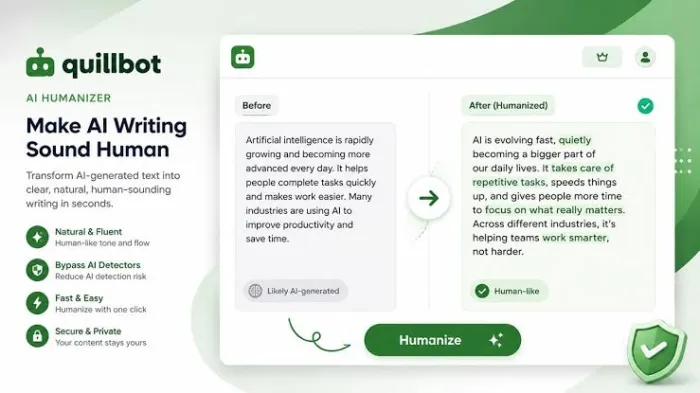
QuillBot started life in 2017 as a single paraphrasing tool and has grown into a four-part writing suite used by tens of millions of students, researchers, and ESL writers. Owned by Learneo (the company behind Course Hero, Scribbr, and LanguageTool), it's one of the most established names here, and it earns a 4.9/5 across thousands of Trustpilot reviews.
What makes it relevant to this list is that humanizing sits inside a workflow you'll use instead of bolted on as an afterthought. You can paste text once and paraphrase it across nine-plus modes (Standard, Fluency, Formal, Academic, Creative, Simple, and a dedicated Humanize mode), check whether the original reads as AI with the built-in detector, then polish it in the full editor, all without switching apps. The AI Humanizer offers basic and advanced modes and shows exactly which words it changed inline, so you stay in control of your voice.
Standout Features:
- Humanize Mode changes the flow of AI-written text so it reads more naturally instead of simply swapping words.
- Multiple paraphrasing modes let you rewrite content for academic papers, business writing, creative work, or everyday English.
- Synonym slider gives you control over how much the text changes, from light editing to a more noticeable rewrite.
- AI Detector lets you check how your content is likely to be classified before publishing or submitting it.
- Grammar and spelling checker catches common writing mistakes while you're editing.
- Citation and summarizer tools make it easier to work with research papers and longer articles in one place.
Pricing: genuinely freemium. The free tier covers basic paraphrasing and grammar, but the humanizer is capped tightly (roughly 125 words per pass), which makes it fine for testing but not serious work. Premium runs around $8.33/month billed annually (about $99.95/year) or roughly $19.95 month-to-month, with a discounted student rate near $6.25/month and team plans from about $7.50 per seat. There's a 3-day money-back window rather than a free trial.
Who it's for: students and academics who want an affordable everything-suite, plus everyday writers and non-native English speakers polishing prose.
Where it falls short: in independent testing, QuillBot's humanizer reads more like aggressive paraphrasing than a full structural rewrite. It handles mild AI text well but is more conservative than purpose-built humanizers on heavily machine-generated prose. If detector-proofing is your only need, a dedicated tool does it better -but as a per-dollar writing suite, QuillBot is hard to beat.
2. Undetectable AI: best dedicated humanizer
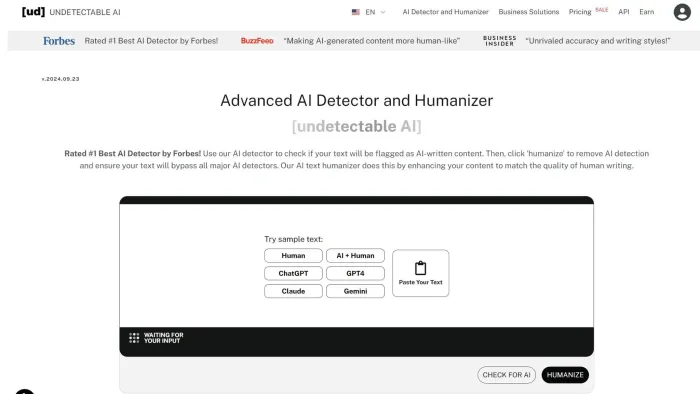
If your specific problem is "I have AI text and I need it to read as human," Undetectable AI is the most established tool built for exactly that. Launched in 2023, it's become the best-known name in the humanizer category, and it does two jobs in one loop: the humanizer rewrites machine text to strip the statistical patterns detectors flag, and a bundled multi-engine detector checks the result against major systems before anyone else sees it. That write-check-fix cycle is something most competitors only half-cover.
That loop is the whole reason it works.
The output is steerable. You choose a readability level and a "purpose" (General, Essay, Email, or Marketing), so the rewrite matches the register you need instead of flattening everything into the same voice. Mixing those settings is how you dial in tone.
Standout Features:
- Humanizer and AI detector together allow you to rewrite text and check it without moving between different tools.
- Writing purpose settings adjust the rewrite for essays, blog posts, emails, or marketing copy.
- Readability levels help you match the writing to school, university, or professional audiences.
- Structure-focused rewriting changes sentence patterns instead of relying only on different vocabulary.
- Bulk processing saves time when working with multiple articles or long documents.
- Built-in plagiarism check adds another layer of review before publishing.
Pricing: a volume-based ladder. The Starter tier is around $9.99/month for 10,000 words (dropping to roughly $5/month on annual billing), Pro is about $19/month for 50,000 words (the best value point), and Business plans climb past $80/month, with an enterprise tier around $209/month for 380,000 words and API access. A free trial covers only about 250 words, and unused credits expire monthly, so size your plan to real usage rather than buying headroom.
Who it's for: marketers and SEO teams, plus writers who run AI drafts at volume and need to smooth them before publishing.
Where it falls short: in independent 2026 testing it passed mainstream detectors roughly 87% of the time -strong, but not the 100% some marketing implies. On a heavy month, expect a slice of text to still get flagged and need a second pass. API access being gated to the pricey top tier also rules it out for solo developers. Treat it as serious risk reduction, not a guarantee.
3. Jasper: best for on-brand marketing copy at scale
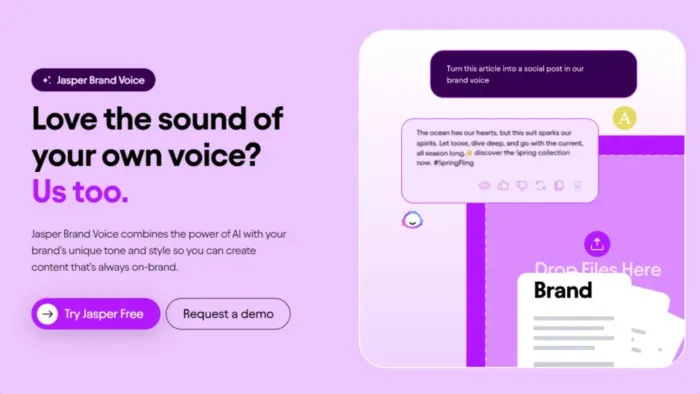
Jasper is the pick when "sounds human" specifically means "sounds like our brand." By 2026 it has evolved from a simple GPT wrapper into a marketing-focused platform, and its headline feature, Brand Voice, is the reason it belongs here. You upload writing samples, URLs, or a style guide, and Jasper learns your tone and vocabulary, plus a "forbidden words" list, then applies that voice automatically to everything it generates. Other tools make you re-explain your tone in every prompt; Jasper remembers it. Upload at least five strong samples and the output stops reading like generic AI and starts reading like your team.
Standout Features:
- Brand Voice learns your company's writing style from existing content so future drafts stay consistent.
- Knowledge Base stores product details, company information, and messaging that Jasper can use while writing.
- Campaign creation tools can turn one content brief into blog posts, emails, ads, and social media copy.
- Surfer SEO integration helps optimize articles while you write instead of after they're finished.
- Shared workspace makes it easier for teams to review, edit, and approve content together.
- Support for many languages is useful for businesses creating content for different markets.
Pricing: no permanent free plan, but a 7-day free trial. The Creator plan starts around $39/month for a single user with one Brand Voice; Pro runs roughly $59/month with multiple Brand Voices and more collaboration; Business pricing is custom, adding governance, permissions, and security controls. Annual billing saves about 20%.
Who it's for: marketing teams and agencies producing consistent, on-brand content across many channels. It holds a strong 4.7/5 on G2 across more than a thousand reviews, with brand-voice quality the most-praised attribute.
Where it falls short: two honest caveats. Pricing is steep for solo creators. Reviewers routinely note you can get 80% of the value from cheaper tools if you don't need team features. Jasper also isn't built for creative fiction, and its raw output can still trip AI detectors, so brand-voice training plus a human editing pass is what gets you natural, publishable copy.
4. Sudowrite: best for fiction and creative writing
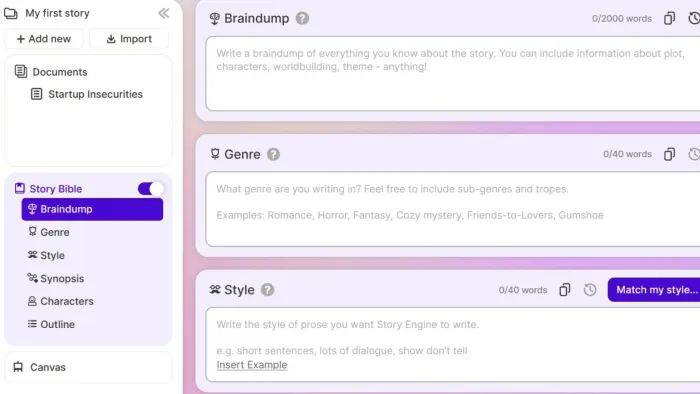
Every other tool on this list is aimed at business or academic writing. Sudowrite is the outlier, and for novelists it's in a class of its own. Founded by writers Amit Gupta and James Yu, it's built from the ground up for storytelling, and its underlying Muse model is fine-tuned on published fiction, so the prose reads like a novel rather than a business memo. That fiction-native tuning is the whole point: general chatbots write competent sentences but drift on character voice, pacing, and continuity across a long manuscript.
Sudowrite's features map directly onto real fiction problems. The Story Bible (or Story Engine) organizes characters, settings, lore, and plot threads so continuity holds across chapters -the AI reads it before generating anything. Describe expands a moment with sensory, show-don't-tell detail; Rewrite offers style variations; Brainstorm and the Canvas whiteboard help you plot; and the newer Feedback feature leaves editor-style margin notes that reference your Story Bible.
Standout Features:
- Story Bible keeps track of characters, settings, relationships, and plot details throughout a novel.
- Describe helps expand scenes with stronger sensory details when a passage feels flat.
- Rewrite tool offers different styles if you want writing to sound more emotional, dramatic, or concise.
- Brainstorm generates ideas for plot twists, dialogue, character development, and scene direction.
- Canvas lets you organize chapters and story structure visually before writing.
Pricing: credit-based across three tiers with identical features. You're paying purely for monthly credit capacity. Hobby & Student is roughly $10/month billed annually (about $19 monthly, 225,000 credits), Professional around $22/month annually (about $29 monthly, 1M credits), and Max about $44/month annually (about $59 monthly, 2M credits with 12-month rollover). A free trial gives you a block of credits to test on your own manuscript.
Who it's for: novelists, short-story writers, and screenwriters who want a genuine drafting partner rather than a copy generator.
Where it falls short: it's a poor fit for anything non-narrative: no structured non-fiction templates, and no export to EPUB, PDF, or DOCX, so you'll need a separate formatting workflow. Credits also deplete fast if you regenerate constantly, making costs less predictable for prolific writers. And it works best as a collaborator: feed it a one-line prompt expecting a finished novel and you'll be disappointed.
5. Wordtune: best for polishing your own drafts
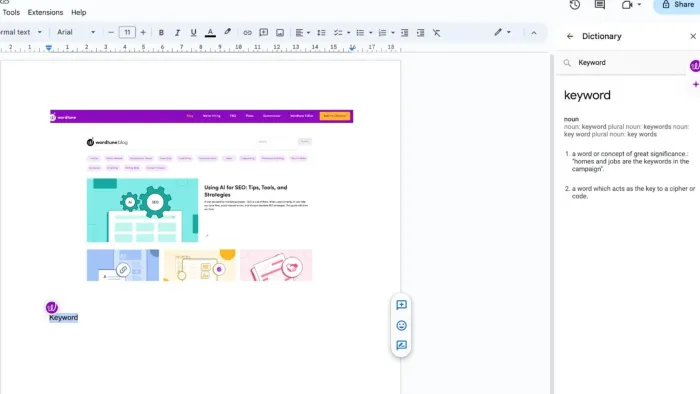
Wordtune takes the opposite approach to Jasper and Sudowrite. It doesn't generate content from scratch; it makes the writing you've already done sound better. It comes from AI21 Labs, the well-funded Tel Aviv research company backed by Google and Nvidia, and its whole premise is choice. Instead of one rewrite, you highlight a sentence and get several alternative phrasings, each with a different tone or structure, so you pick the version that sounds most like you. It's the closest thing to having five editors quietly suggesting options over your shoulder.
That makes it a natural fit for the "sound human" brief, because you're doing the human judgment; the tool just widens your options. Tone adjustment switches between formal and casual registers in one click, "Spices" injects examples, counterarguments, or a bit of humor to make flat writing more engaging, and the Read summarizer condenses long articles. Because it lives as a Chrome extension (plus web and mobile apps), it works right inside Gmail, Google Docs, LinkedIn, and almost any text field.
Standout Features
- Multiple rewrite suggestions give you several ways to phrase the same sentence so you can choose what sounds most like you.
- Tone adjustment quickly changes writing from casual to formal or makes it shorter and more direct.
- Spices adds examples, explanations, or counterarguments to make your writing more engaging.
- Summarizer turns long articles or documents into shorter, easy-to-read summaries.
- Chrome extension works directly inside Google Docs, Gmail, LinkedIn, and many other websites.
- Sentence-by-sentence editing improves clarity without rewriting your entire document.
Pricing: a free plan gives you 10 rewrites per day, which sounds fine until you realize a "rewrite" is one click on one sentence. It burns fast. The Advanced plan runs about $6.99/month annually (roughly $13.99 monthly), and Unlimited is around $9.99/month annually (roughly $19.99 monthly). Annual billing is far better value than monthly.
Who it's for: professionals, students, and especially non-native English speakers who write their own drafts and want sharper tone and clarity without a full rewrite.
Where it falls short: it's strictly sentence-level: there's no paragraph or article-wide rewriting, and no bulk processing. It also won't generate content or run SEO, and there's no plagiarism check. Some reviewers report AI21 has slowed active development on the consumer product, so keep an eye on its roadmap even though the tool remains stable and widely used today.
How to actually make AI writing sound human
The tool does maybe half the work. The rest is technique, and these habits matter regardless of which app you use.
Vary your sentence length on purpose. The single biggest tell of machine text is uniform rhythm. Deliberately break a long sentence with a short one. Fragments are fine. This is what "burstiness" means in practice, and it's the pattern both readers and detectors respond to.
Cut the connective clichés. Search your draft for "moreover," "furthermore," "in conclusion," "it's important to note," and "in today's world." AI overuses them; humans mostly don't. Delete or replace them and the text immediately loosens up.
Add something only you could write. A specific example from your own experience, a small opinion, a concrete number, a named place. Generic AI writing is smooth but anonymous -one authentic detail does more for authenticity than any humanizer setting.
Read it out loud. This is the fastest quality check there is. Anything you stumble over, or that sounds like a press release, gets rewritten. If it sounds like a person talking, you're done.
Edit for meaning, not just style. Humanizers occasionally garble your point while chasing a lower detection score. A "human-sounding" sentence that no longer says what you meant is worse than the original. Always reread for accuracy.
The detection and ethics reality you should know
A few honest points, because this space is full of overpromising.
No humanizer can guarantee it will beat a detector. Bypass rates move constantly as detection models retrain, and the same tool that scores clean this month may not next month. If a vendor promises 100% undetectable results, treat that as marketing, not fact. Before you submit anything graded or high-stakes, run it through the detector your institution or client actually uses.
Detectors also make mistakes in the other direction. Independent research has shown they disproportionately flag non-native English writers' genuinely human work as AI-generated. So a "flagged" result is not proof of anything, and a clean result isn't a guarantee either.
On the ethics: using AI to refine or humanize text isn't plagiarism in the traditional sense, since you're not copying someone else's work. But context decides whether that's acceptable. In academic settings, passing AI-generated work off as your own can violate integrity policies regardless of how human it sounds -humanizing doesn't make undisclosed AI use honest. For marketing and web content, Google has been clear that it penalizes low-value, mass-produced content, not AI assistance or humanization itself. Write things worth reading and you're on the right side of that line. Use these tools to make genuine work clearer and more natural, not to disguise work that shouldn't be yours.
How to choose the right one for you
Match the tool to the writing rather than the loudest review. Students and second-language writers who want one affordable app that paraphrases, checks, and humanizes should start with QuillBot's free tier. If you generate AI drafts at volume and worry about detection, Undetectable AI is the specialist. Marketing teams where brand consistency is everything will find Jasper pays for itself in saved editing hours. Novelists have nothing else that comes close to Sudowrite. And if you already write your own drafts and just want them to read more sharply, Wordtune is the cheapest, lightest upgrade to your voice.
Most serious writers end up using two: one to draft or humanize, and one to polish. Try the free tiers before committing to any annual plan, and always confirm current pricing and limits on the vendor's own site. This category changes faster than almost any other in software.