Building an app used to feel like a project reserved for developers, startups with big budgets, or people willing to spend months learning how to code. But in 2026, that barrier has changed. With the rise of AI-powered app builders and no-code platforms, anyone with a solid idea can start creating real software without writing every line of code.
The challenge now isn’t whether you can build an app - it’s figuring out which tool is actually worth using. The market is packed with platforms that promise to turn a simple idea into a working app within minutes. Some are great for launching a quick prototype, while others can handle user accounts, databases, payments, complex workflows, and products that need to grow over time. Choosing the wrong platform can mean wasted time, unexpected costs, or rebuilding your app later from scratch.
In this guide, we break down the best AI app builders of 2026 and compare what they do well, where they fall short, and who they are really built for. We look at important factors like ease of use, AI performance, backend capabilities, mobile support, flexibility, ownership, and pricing.
Whether you’re a founder testing a startup idea, a business owner creating a custom tool, or someone who has always wanted to build an app but never had the technical skills, this comparison will help you find the right platform to turn your idea into a working product.
TL;DR: Our Quick Verdict
| If you are. | Use this | Why |
| A non-technical founder building a SaaS MVP | Lovable | Smoothest prompt-to-app flow, built-in backend via Supabase |
| A builder who wants one place to build and run apps | Replit | Full dev environment + Agent 4, strongest backend runtime |
| Someone who needs speed and mobile support | Bolt.new | Fastest visual prototypes, Expo-powered mobile apps |
| A founder building a complex product (marketplace, SaaS) | Bubble | Deepest logic, database, and workflow control |
| A team building a real mobile app for the app stores | FlutterFlow | Native iOS/Android output with code export |
| A total beginner who just wants a simple working app | Base44 | Chat-based building, gentlest learning curve |
| A business team building portals on existing data | Softr | Sits on top of Airtable/SQL, zero database skills needed |
Now let's get into how we reached these conclusions, and the details that matter before you commit your idea (and credit card) to any of them.
How We Compared These Tools (Our Methodology)
A comparison is only as good as its method, so here's ours.
We evaluated each platform against the same test project: a small booking app with user sign-up, a database of services, a booking form, an admin view, and email notifications. It's deliberately ordinary, the kind of app a small business or first-time founder actually needs, and it's just complex enough to expose where each tool starts to struggle.
Each tool was scored across six criteria:
Ease of use for non-coders: Can someone with zero technical background get a working app, or do they hit a wall?
AI capability: How much does the AI actually build correctly from a plain-English prompt, and how well does it handle follow-up changes?
Backend depth: Databases, authentication, user roles, payments, and server logic.
Mobile readiness: Web-only, installable web app, or true native mobile?
Ownership and lock-in: Can you export your code or data if you leave?
Pricing predictability: The sticker price matters less than how fast credits or tokens burn in real use.
How to read our scores
Every tool gets an overall score out of 10, plus three sub-scores that matter most to first-time builders:
Ease of use: how far a total beginner gets before hitting a wall
AI quality: how much the AI builds correctly, first time, from plain English
Flexibility: how much headroom the tool has once your app grows past v1
These are editorial scores from our booking-app test, not lab benchmarks. A tool scoring 7.5 isn't bad. Softr scores lowest overall and is still the single best answer for the job it's built for. Read the score alongside the "Best for" and "Who shouldn't use this" lines, never on its own.
We also cross-checked our findings against publicly available data: official platform pricing pages, platform documentation, independent hands-on reviews from Zapier, Technically.dev, and agency teams who inherit these projects after the prototype stage. Where testers disagreed, we say so.
One honest caveat up front: this category moves fast. All pricing below was re-verified against official pricing pages in July 2026, but every platform on this list has changed its pricing at least once in the past 18 months, and two changed while we were writing (see the update log at the end). Verify before you subscribe.
The Best AI App Builders in 2026, Reviewed
1. Lovable: Best Overall for Non-Technical Founders
Overall: 9.2/10 · Ease of use (9.0) · AI quality (9.0) · Flexibility (7.5)
Best for: SaaS MVPs, web apps with real users and data
Pricing: Free plan available. Pro starts at $25/month, while Business plans begin at $50/month. Paid plans include more AI credits, higher usage limits, and collaboration features. Hosting and backend services add extra costs depending on how your app is deployed and used.
Mobile: Builds responsive web apps that work well on phones and can be installed as PWAs, but it doesn't generate native iOS or Android apps.
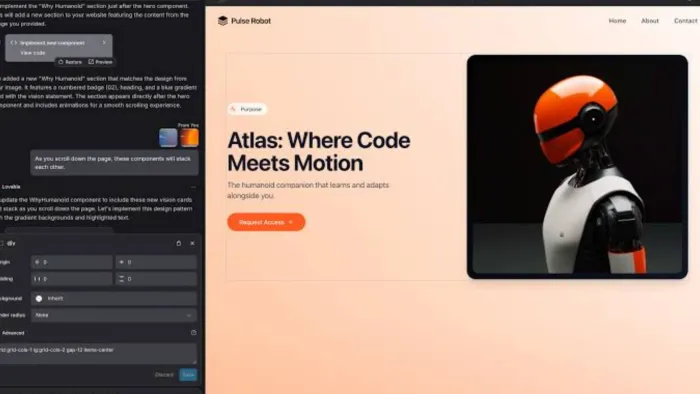
Lovable has become the default recommendation for non-technical founders in 2026, and after testing it, we understand why. You describe your app in plain English ("a booking app for a dog grooming salon with customer accounts and an admin dashboard") and Lovable generates a usable full-stack application: frontend, backend, database, and deployment, with the least setup friction of any tool we tested.
Its secret weapon is the deep Supabase integration, which quietly handles the hard parts (authentication, database, storage) that stop most no-code projects dead. In our booking-app test, Lovable was the only prompt-first tool that got the whole sign-up and login flow running against a working database on the first serious attempt, with only minor fixes needed.
Independent testing backs this up. Zapier's 2026 hands-on comparison found Lovable slightly easier to steer than Bolt, and noted its credit model tends to accomplish more per prompt. That's a real cost advantage, since one message is roughly one credit and inefficient tools burn money on every retry.
Where it struggles: Every tester, including us, eventually hits what reviewers call the "bug wall": the point in a growing project where fixing one issue via prompts creates another, and your credit consumption spikes. Real-world credit burn also runs well ahead of what the plan implies. A three-page app with auth and a database routinely consumes more than a month's Pro allowance during active building. Lovable also outputs web apps only; if you need a native mobile app in the App Store, look at Bolt or FlutterFlow. And while you can sync your code to GitHub (a genuine plus for avoiding lock-in), a non-coder can't do much with that code alone.
Who shouldn't use Lovable? Skip it if (a) your product must ship to the App Store or Google Play, since Lovable has no native mobile path; (b) you need heavy server-side processing like scheduled jobs, data pipelines or bots, which Replit handles far better; (c) you need a predictable fixed monthly bill, because the credit-plus-usage model doesn't offer one; or (d) you're building something complex with many user roles and permission layers, where Bubble's explicit controls beat prompting.
Verdict: If you can't code and want to validate a complete, real app quickly, start here. It's the strongest balance of power and approachability in 2026.
2. Replit: Best All-in-One Platform (Build, Host, and Run)
Overall: 9.0/10 · Ease of use (7.0) · AI quality (9.5) · Flexibility (9.5)
Best for: Apps with real backend logic; anyone who wants building and hosting in one place
Pricing: Free plan available. Core costs $20/month with annual billing ($25 month-to-month) and includes AI usage credits. Pro starts at $100/month for teams and advanced AI features. Heavy AI usage or app hosting can increase your monthly bill beyond the base subscription.
Mobile: Best suited for responsive web apps. You can build mobile-friendly experiences, but publishing a native App Store or Google Play app requires additional development.
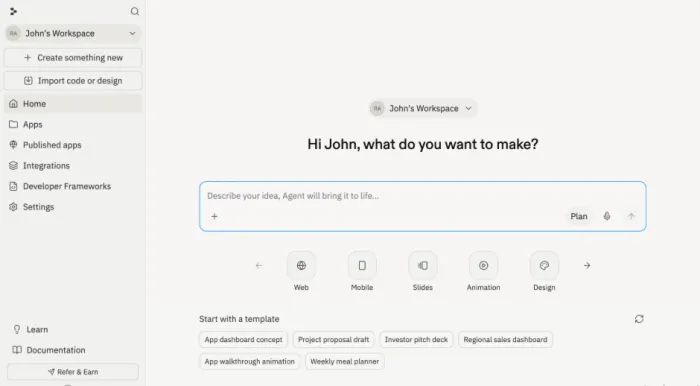
Replit is architecturally different from everything above, and that difference is its pitch. It pairs an AI agent with a full development environment: terminal, file editing, 50+ languages, GitHub integration. Your app gets generated and then it gets a real home to run in.
Agent 4, launched 11 March 2026 alongside a $400M funding round, was the most capable builder in several independent bake-offs this year. Technically.dev's four-way comparison ranked Replit the most feature-rich and well-thought-out of the major vibe-coding tools. It offers an infinite design canvas for exploring UI variants and checkpoint-based rollback when the AI takes a wrong turn. Parallel sub-agents split one large task into concurrent pieces. Worth knowing: parallel task execution is a Pro and Enterprise feature, opened to Core users only temporarily at launch, so don't assume it's included at $20.
Replit's deepest advantage is the backend runtime. If your app needs server-side processes (a Slack bot, webhook handling, scheduled jobs, Python data tools), Replit is the only tool on this list where that's natural rather than painful. It also holds SOC 2 Type II certification, a documented compliance posture that matters if you're handling sensitive data. (Several competitors, Bubble included, also publish SOC 2 attestations, so treat this as a strength rather than a unique one, and read the actual scope of any platform's report before relying on it.)
Where it struggles: It's the heaviest of the prompt-first tools. The interface exposes real development concepts (files, consoles, deployments), which empowers some users and intimidates others.
Pricing is credit-based and shared across everything: the agent working, your live app serving visitors, database reads. That's fair but hard to predict. Users routinely report bills several times the sticker price during heavy build months, and there's no default spending cap. Its free tier also lacks plan mode, so free-tier builds are both less accurate and less efficient.
Who shouldn't use Replit? Skip it if (a) seeing a terminal or a file tree makes you want to close the tab, because Base44 or Lovable will be kinder; (b) you need a hard monthly cost ceiling, since overages bill automatically without a cap by default; (c) your app is a straightforward marketing site or portal with no server logic, which is overkill here; or (d) you need native mobile, which Replit doesn't produce.
Verdict: The strongest choice when your app is more than a pretty frontend — and the one most likely to still be the right tool six months after launch.
3. Bolt.new: Best for Fast Prototypes and Mobile via Expo
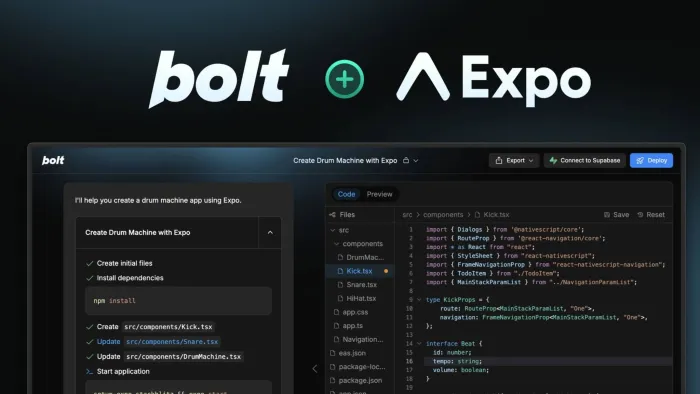
Overall: 8.6/10 · Ease of use (8.5) · AI quality (8.5) · Flexibility (8.0)
Best for: Rapid visual prototypes, founders who need mobile from day one
Pricing: Free plan includes up to 1 million AI tokens per month (with daily limits). Pro starts at $25/month and increases token allowances, while Teams plans begin at $30 per user/month. Larger projects typically require a paid plan because token usage grows as your app becomes more complex.
Mobile: One of the strongest AI builders for mobile. It can generate Expo-powered React Native apps, making it a practical choice if you plan to publish to the App Store or Google Play.
Bolt.new is the sprinter of this group. It runs entirely in your browser with zero setup, and produces a clickable, surprisingly polished prototype faster than anything else we tested.
If your goal is "I need something to show investors on Friday," Bolt is hard to beat.
Two things differentiate it in 2026. First, framework flexibility: it can build in React, Vue, Svelte, Next.js or Astro, which matters if a developer will eventually inherit the project. Second, and more importantly for this audience: Bolt can generate real mobile apps through Expo, something Lovable still can't do. For a solo founder who knows their product must live on phones, that alone can decide the choice.
Where it struggles: Bolt's backend story is thinner. It's constrained to JavaScript-only server logic, and in our booking-app test it needed noticeably more prompting than Lovable to get authentication and data flows right. Its token-based pricing is also the least intuitive on this list: tokens are consumed by the AI re-reading your whole codebase, so the same prompt gets more expensive as your project grows, and a debugging loop on a large project can cost a million tokens in a couple of messages. Reviewers with technical instincts get more out of Bolt; complete beginners tend to get more out of Lovable.
Who shouldn't use Bolt? Skip it if (a) you're a total beginner with no technical instincts, because you'll spend tokens learning what to ask for; (b) your app's value is in its backend, not its interface; (c) you need external integrations wired up for you, which Bolt largely leaves to you; or (d) you plan to live on the free tier, where the 300K daily cap ends most real build sessions early.
Verdict: Pick Bolt if speed-to-demo is your top metric or you need mobile via Expo. Budget for the paid tier sooner than you think.
4. Bubble: Best for Complex Products (SaaS, Marketplaces)
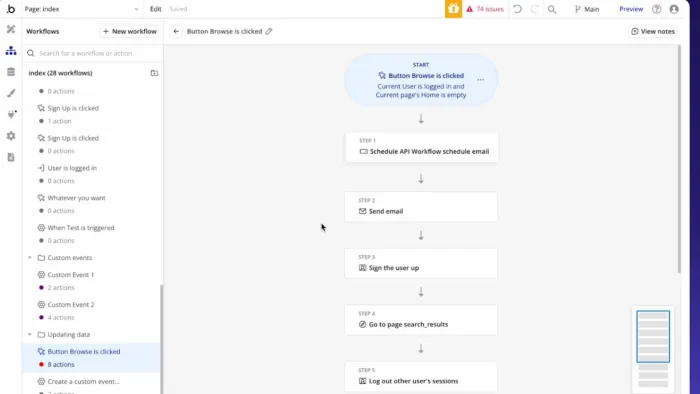
Overall: 8.5/10 · Ease of use (5.5) · AI quality (7.0) · Flexibility (9.5)
Best for: Founders building serious products with complex logic
Pricing: Free plan available for learning and prototyping. Starter begins at $29/month (annual billing), with higher tiers for production apps and teams. Bubble also uses Workload Units (WU) to measure resource usage, so high-traffic apps may incur additional usage costs.
Mobile: Excellent for web apps, with native mobile support currently available through Bubble's separate mobile builder. It's improving quickly but is still less mature than dedicated mobile platforms.
Bubble is the veteran of no-code, claiming 6 million builders and 7 million+ apps across 220+ countries, and in 2026 it remains the most powerful general-purpose visual builder available. Its AI app generator now produces working interfaces from a text prompt, along with database structures and basic logic. But Bubble's real value has never been the first draft. It's everything after.
No other tool on this list gives you comparable control over databases, user roles, privacy rules, payments, and multi-step workflows without code. This is why Bubble is the standard choice for marketplaces and membership products, and for full SaaS platforms: apps where "the AI generated something that mostly works" isn't good enough, and where you need different user types seeing different things.
Bubble's native mobile builder has been in public beta since June 2025, with dedicated mobile pricing tracks since October 2025. That's a genuine answer to its most persistent historical weakness, but one worth understanding before you count on it. Beta means known bugs and features still landing (deep links and third-party plugin support among them). More importantly: an existing Bubble web app does not convert automatically. Every screen and workflow has to be rebuilt in the mobile editor; only the database is shared.
Where it struggles: The learning curve is real and Bubble doesn't pretend otherwise. You won't write code, but you will need to understand how workflows, databases, plugins, and privacy rules interact. That's weeks of learning, not an afternoon.
Workload Units are the other trap: a data-heavy app with real traffic can consume its Starter allocation and add meaningful overage charges on top, and there's no cap. And Bubble apps live on Bubble. There's no meaningful code export, so this is the strongest lock-in on our list. You're choosing a long-term platform, not a starting point.
Who shouldn't use Bubble? Skip it if (a) you need something live this week, because the learning curve alone will outlast your deadline; (b) mobile is your primary platform, since the mobile builder is still beta and requires a separate rebuild; (c) code portability matters to you at all, because there's no export path; or (d) your app is read-heavy at scale, where Workload Unit costs can grow uncomfortably.
Verdict: If your product roadmap includes user accounts, payments and complex logic, and you're willing to invest a few weekends learning, Bubble will take you further than any prompt-first tool. Just go in knowing you're committing.
5. FlutterFlow: Best for Real Native Mobile Apps
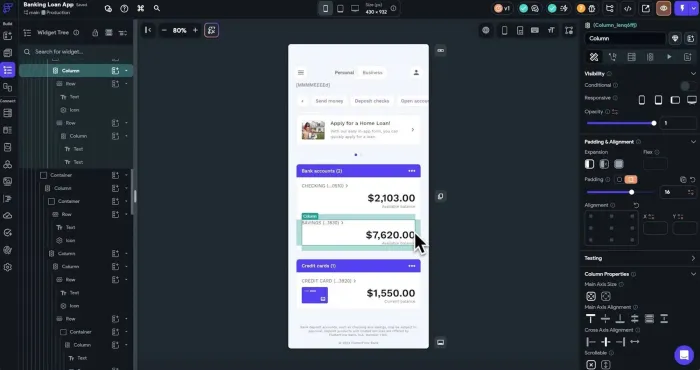
Overall: 8.3/10 · Ease of use (6.0) · AI quality (7.0) · Flexibility (9.0)
Best for: Teams shipping genuine iOS/Android apps to the app stores
Pricing: Free plan available. Basic starts at $39/month (around $29/month with annual billing) and unlocks code export and app-store deployment. Backend services such as Firebase or Supabase are billed separately.
Mobile: Built specifically for native mobile development. Generates production-ready iOS and Android apps with code export, making it the best choice if mobile is your primary platform.
If the app stores are non-negotiable for your product, FlutterFlow is the most credible no-code path there. Built on Google's Flutter framework, it produces true native iOS and Android apps, and its AI can generate screens, widget trees and database schemas from a description, which then appear as fully editable components in the visual editor.
Two advantages stand out. First, output quality: FlutterFlow apps feel like real apps, not web pages in a wrapper. Second, code export: you can take your generated Flutter code and hand it to a developer at any point, making FlutterFlow one of the lowest lock-in options in this comparison. Note that both code download and app-store deployment are gated behind the paid Basic plan. The free tier is for learning the editor, not for shipping.
Where it struggles: It's the most "builder-like" tool here. The visual editor mirrors real mobile-development concepts (widget trees, state, navigation stacks), so total beginners face a steeper climb than with Lovable or Base44. Your database isn't included either. You'll wire up Firebase or Supabase and pay for it separately, which adds $25–100+/month for a live app. And app-store submission (certificates, review processes, store listings) remains fiddly no matter what tool you use.
Who shouldn't use FlutterFlow? Skip it if (a) your product is a web app and always will be, since you're paying a complexity tax for nothing; (b) you've never built anything and want a chat-based experience, because this is a real editor with real concepts; (c) you want one bill, since backend costs sit outside the subscription; or (d) you're a team of three or more on a budget, as per-seat pricing on Growth and Business stacks quickly.
Verdict: The professional's no-code mobile choice. Steeper to learn, but the ceiling is far higher, and you own the code.
6. Base44: Best for Absolute Beginners
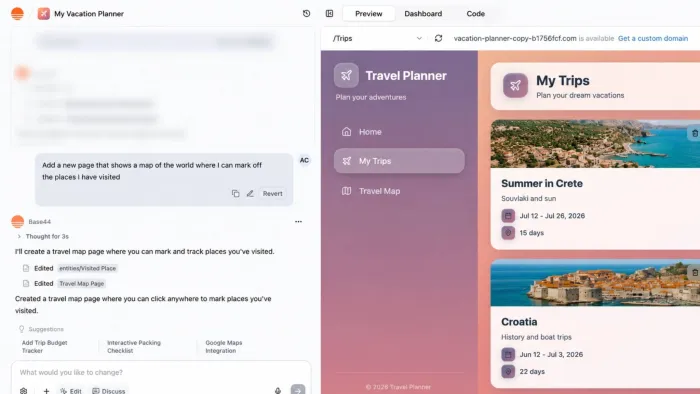
Overall: 7.8/10 · Ease of use (9.5) · AI quality (8.0) · Flexibility (5.5)
Best for: First-time builders, simple internal tools, quick idea tests
Pricing: Free plan includes limited monthly message credits. Starter starts at $16/month with annual billing ($20 month-to-month), with higher plans available for larger projects. The platform uses separate message and integration credits, so usage can increase costs over time.
Mobile: Creates responsive web apps that work well on mobile browsers but doesn't produce native mobile applications.
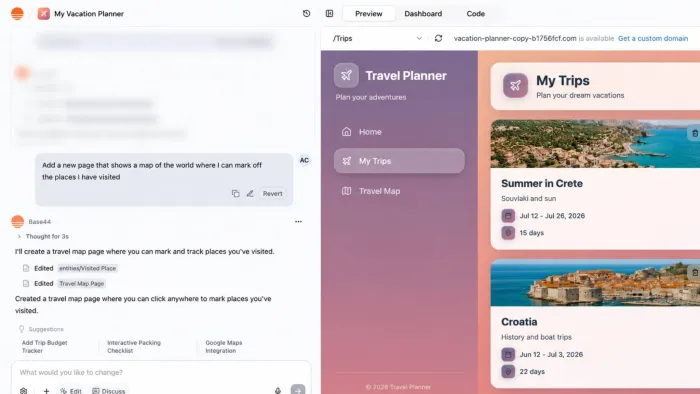
Base44, acquired by Wix in mid-2025 for a reported $80 million, represents the friendliest end of the 2026 spectrum: building an app is literally a chat conversation. You describe what you want, refine it in follow-up messages, and the platform generates the interface and logic. There is no canvas to learn and no database schema to design, and deployment isn't a step you need to understand. Native integrations for Stripe, Slack, Google Sheets, SendGrid and Twilio come pre-wired, which is a real advantage for a beginner.
In our testing, that made Base44 the fastest tool from zero to something working — and the one we'd hand to a relative who has never built anything technical. Its pricing is also the most accessible entry point among AI-first builders at $16/month, though the free tier's 5-credits-per-day cap means most people exhaust it within an hour of real building.
One correction to a claim that circulates widely (including in earlier versions of this article): Base44 does offer code export, via ZIP download and a GitHub integration, on its higher paid tiers. GitHub sync is still labelled beta, and exporting code doesn't solve moving your operational data. But the lock-in here is softer than commonly assumed.
Where it struggles: Simplicity is the product, and it cuts both ways. Base44 hit its ceiling earliest in our booking-app test: fine on the basics, strained by the admin view and role-based permissions. The dual-credit system also catches people out. Message credits cover your building, but integration credits are consumed by your live app doing things (sending emails, calling APIs, running AI features), so a modestly used app eats its allowance without you touching it.
Who shouldn't use Base44? Skip it if (a) your app needs several distinct user types with different permissions, which is where it broke first for us; (b) you're building something AI-powered for real users, since every end-user LLM call burns integration credits; (c) you want to stay free, because 25 credits a month is a trial, not a plan; or (d) you already know what you're doing, in which case Lovable gives you more per credit.
Verdict: The best on-ramp in no-code. Build your first app here to learn what you actually need, then graduate to Lovable or Bubble if you outgrow it.
7. Softr: Best for Business Teams With Existing Data
Overall: 7.5/10 · Ease of use (9.5) · AI quality (4.0) · Flexibility (5.0)
Best for: Client portals, internal tools, dashboards on top of data you already have
Pricing: Free plan available. Basic starts at $49/month with annual billing ($59 month-to-month). Pricing scales by the number of app users, while advanced data sources like SQL databases and REST APIs require the higher Business plan.
Mobile: Designed for responsive web apps and client portals. Apps work well on phones and tablets, but there's no native iOS or Android app generation.
Softr solves a different problem from everything above, and for many businesses it's the right problem. Instead of building an app and a database from scratch, Softr builds polished apps on top of data you already have in Airtable, Google Sheets, Notion or Softr's own database, without you ever touching a schema.
In practice this makes Softr the most accessible tool on this list for non-technical teams (as opposed to solo founders). Independent 2026 reviews consistently rank it the easiest entry point for building client portals, internal CRMs, and membership dashboards, with granular permissions handled through simple visual settings.
Where it struggles: Softr is a specialist. It's superb at data-driven portals and weak everywhere else. You wouldn't build a consumer product or a complex SaaS here. Its AI generator is also the most limited on this list: it produces a one-shot starting point rather than a conversation you can iterate in. And the SQL sources the marketing highlights (PostgreSQL, MySQL, SQL Server) plus REST API connections are gated behind the Business plan at $269/month, a steep jump from Professional with no cheaper path. Extra custom domains cost roughly $13–15/month each on top.
Who shouldn't use Softr? Skip it if (a) you don't already have a data source it supports, leaving you paying for a front end with nothing behind it; (b) you want to build via AI prompting, since the generator is one-shot only; (c) your data lives in SQL and $269/month isn't in budget; or (d) you're building a consumer-facing product rather than an internal or client tool.
Verdict: If your "app" is a beautiful, permission-controlled window onto a spreadsheet or database (a client portal, a team tool, a directory), Softr gets you there faster than anything else, no AI prompting required.
Head-to-Head: Full Comparison Table
| Tool | Best For | Entry Paid Price* | AI Prompt-to-App | Backend Depth | Native Mobile | Code Export |
| Lovable | SaaS MVPs (non-coders) | $25/mo + usage | Excellent | Strong (Supabase) | No | Yes (GitHub) |
| Replit | Full-stack apps + hosting | $20/mo annual ($25 monthly) | Excellent (Agent 4) | Deepest | No | Yes |
| Bolt.new | Fast prototypes, mobile | $25/mo | Very good | Moderate (JS only) | Yes (Expo) | Yes |
| Bubble | Complex SaaS, marketplaces | $29/mo web (annual) | Good | Very strong | Beta (separate build) | No |
| FlutterFlow | Native mobile apps | $39/mo | Good | Strong (BYO backend) | Yes | Yes (Flutter) |
| Base44 | Beginners, simple apps | $16/mo annual ($20 monthly) | Very good | Basic | No | Yes (ZIP/GitHub beta) |
| Softr | Portals on existing data | $49/mo annual ($59 monthly) | Limited (one-shot) | Via your data source | No | No |
*Prices re-verified against official pricing pages in July 2026 and subject to change. Most entry prices assume annual billing; monthly costs 10–25% more. Every tool here also has usage-based costs (credits, tokens, workload units, or third-party backends) on top of the subscription.
Other App Builders Worth Knowing About
Several tools you'd expect on a 2026 list are missing. That's deliberate, and the reasons are worth knowing-because a few of them might actually be right for you.
v0 by Vercel: excluded for scope. v0 is excellent, but it's fundamentally a UI and frontend generator that has been growing toward full-stack rather than a complete app builder. Its Next.js and Vercel deployment integration is the smoothest of any tool anywhere, and it's the best in class if you want a beautiful, well-structured React frontend. But a non-technical founder starting from zero needs auth, a database and a backend in the box, and that's not where v0's strengths sit. If you already have a codebase or a developer, look at it seriously (paid plans from around $20/month).
Firebase Studio: excluded because it's being retired. Google announced Firebase Studio's sunset in March 2026. New workspace creation and signups were disabled on 22 June 2026, and the environment shuts down permanently on 22 March 2027, with unexported data deleted. Google is folding its capabilities into Google AI Studio (browser-based prototyping, now with Firestore and Firebase Authentication integrated directly) and Antigravity (its code-first agentic IDE). Existing Firebase services such as Firestore, Authentication and App Hosting are unaffected, and deployed apps keep running. If you built something there, migrate it; if you were about to start, you can't. Google AI Studio is the successor to watch, and we'll assess it in the next update.
Cursor: excluded because it's a developer tool. Cursor is arguably the best AI coding environment available, but it assumes you can read and reason about code. It's a force multiplier for developers, not a route around development. Many teams pair the two: prototype in v0 or Lovable, push to GitHub, then continue in Cursor once the project needs real engineering. If that describes you, this article isn't the right list.
Glide, Adalo, Webflow, Framer, Power Apps and Retool: excluded for fit. Each is strong in a lane we didn't test. Glide and Adalo are worth a look for simple mobile apps (Adalo in particular publishes native to both stores with flat-rate pricing). Webflow and Framer are website builders, not app builders. Power Apps and Retool are enterprise internal-tool platforms that assume an IT department and existing systems.
Our inclusion bar was simple: could a non-technical person get a working, deployable booking app out of it? Everything above either aims at a different user or is on its way out.
How to Actually Build Your App Without Coding: A 7-Step Playbook
Choosing a tool is half the battle. Here's the process that separates apps that ship from projects that stall, drawn from what consistently worked (and failed) across our testing.
Step 1: Write a one-page spec before you touch any tool. Describe your app in plain language: who uses it, the 3–5 things they can do, and what data it stores. AI builders are dramatically better when your first prompt is specific. "A booking app" produces a generic mess; "a booking app for a dog groomer with services, time slots, customer accounts, and an owner dashboard" produces something usable.
Step 2: Start on a free tier of two tools. Give the same spec to two candidates and compare the first drafts. This costs an afternoon and routinely changes people's minds; a tool that feels right in reviews can feel wrong in your hands.
Step 3: Build the skeleton first, polish last. Get the core flow working end-to-end before refining design. Prompt-based tools burn credits fastest on cosmetic back-and-forth, and polish on a broken flow is wasted money.
Step 4: Add authentication and data early. User accounts and databases are where no-code projects die. Tackle them in week one, while your app is simple, not week four, when every screen depends on them.
Step 5: Test with five real users before adding anything else. The most reliable predictor of no-code success isn't the tool. It's early validation. Five users clicking through your ugly v1 will reshape your roadmap more than fifty more prompts.
Step 6: Watch your usage like a budget, and set a hard cap where you can. Credit and token burn is the hidden cost of AI builders, and consumption spikes exactly when you hit bugs. Several platforms bill overages automatically with no default ceiling. Set a spending limit if the platform offers one and check your usage bar daily during heavy build weeks. Treat repeated failed fixes as a signal to change approach rather than keep prompting.
Step 7: Plan your exit before you're locked in. If your app might become a real business, prefer tools with code export (Lovable, Bolt, Replit, FlutterFlow, and Base44 on higher tiers) or at least understand what leaving costs. Lock-in is fine. Unexamined lock-in is how projects get held hostage by a pricing change, or by a platform sunset you didn't see coming.
The Bottom Line
The best AI app builder in 2026 is not necessarily the highest-scoring one-it is the tool that matches what you are actually trying to build. Lovable is the strongest all-round option for many non-technical founders, Replit suits backend-heavy projects, Bolt and FlutterFlow are better choices for mobile, Bubble offers deeper control for complex products, Base44 is ideal for beginners, and Softr works best for portals built on existing data.
Start with a clear one-page plan, test your idea on the free tiers of two suitable platforms, and focus on the core user journey before polishing the design. Add authentication and data early, monitor usage-based costs, and understand how easily you can export your code or data later.
Most importantly, do not let easy app generation replace real validation. These tools can build a working product quickly, but only users can tell you whether it solves a meaningful problem. Build a simple first version, show it to real people, and let their feedback guide what you create next.