WHAT ACTUALLY MATTERS NOW
The transcript is solved. The bot is the real question.
Every tool here records your call, transcribes it, and writes a summary with action items. In English, on a clear connection, they are all good enough. Accuracy stopped being the thing that separates them a while ago.
What splits them is everything around the transcript. Does a visible bot join the call and change what people say? Do the notes land in your CRM or rot in a separate app? How generous is the free plan really? I tested six against the same five things, and ranked them for a typical user.
WHAT I SCORED
| 01 | Accuracy | How well it transcribes and tells speakers apart, including messy calls. |
| 02 | AI notes | Quality of the summary, decisions, and action items it pulls out. |
| 03 | Ease | How little setup and babysitting it needs to just work. |
| 04 | Integrations | Whether notes reach Slack, your CRM, and the tools you live in. |
| 05 | Value | What the free plan covers and what you get once you pay. |
THE SIX, RANKED
Ranked for most people, with a winner for each job
The number is my overall pick for a typical person choosing one tool. Each still wins outright for a specific need, which the verdict sorts out. Number six is not weak. It is built for a different buyer.
Fathom - BEST ALL-ROUNDER
OVERALL // AI meeting recorder // Zoom, Meet, Teams
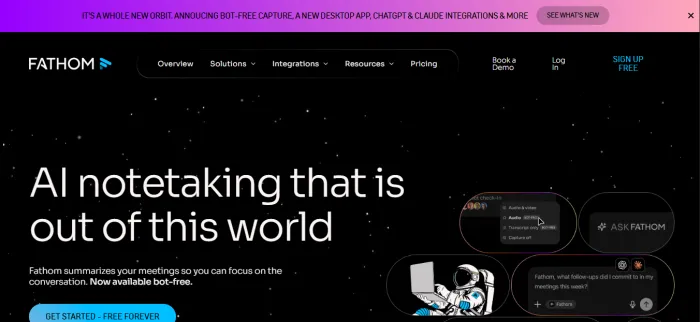
Fathom is the one I tell most people to start with. The free plan records and transcribes every meeting with no minute caps, the summary is ready about thirty seconds after you hang up, and the transcription is the most accurate in this group. It carries the highest rating in the category across thousands of reviews, and there is a reason for that: it does the boring part really well and gets out of the way.
The free plan now caps the smart AI summaries at five meetings a month, so heavy users will pay. Premium lifts that, and the Business tier adds Salesforce and HubSpot sync plus coaching. A bot still joins the call by default, though you can rename it and there is a newer bot-free option.
STRENGTHS + The most generous free recording in the category + Fast, clean, accurate summaries with little fuss | WATCH-OUTS - Free AI summaries are capped at five a month - CRM sync and coaching sit behind the top tier |
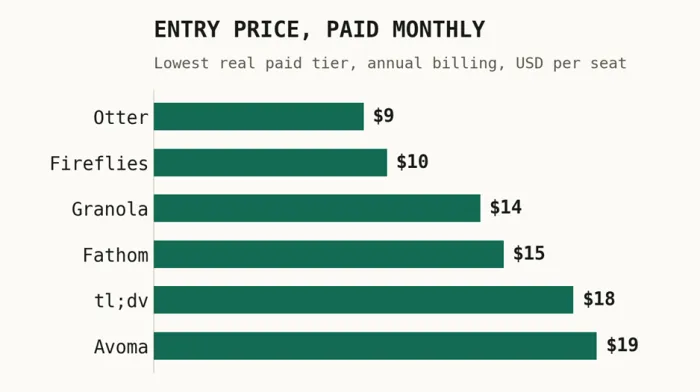
PRICING Free with unlimited recording. Premium about $15/mo annual ($19 to $20 monthly). Team about $15 to $19/seat. Business $25/seat annual adds CRM sync.
BEST FOR Individuals and small teams who want unlimited free recording and clean notes.
| OVERALL | ACCURACY | AI NOTES | EASE | INTEGR. | VALUE |
|---|---|---|---|---|---|
| 8.9 | 9.0 | 8.5 | 9.5 | 8.0 | 9.5 |
Fireflies.ai - BEST FOR TEAMS
SALES + CRM // Meeting assistant // CRM and integrations
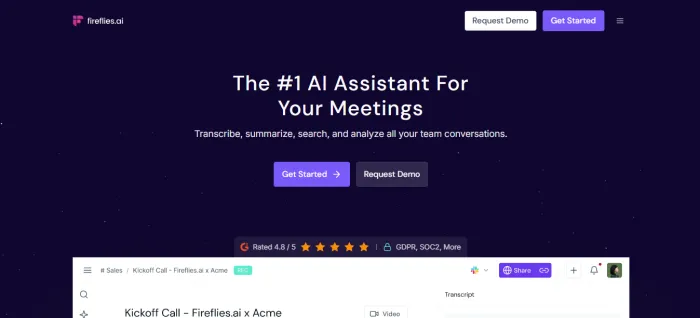
Fireflies is the breadth pick. It works across Zoom, Meet, Teams, and Webex, supports more than 100 languages, and plugs into Salesforce, HubSpot, Slack, and thousands of apps through Zapier. The real strength is the searchable archive: you can ask questions across your whole meeting history, and its in-call assistant can even pull web answers mid-conversation. At $10 a seat it is the cheapest serious paid tier here.
It joins as a visible bot, the advanced AI features run on credits that run out, and the free plan caps you at 800 minutes of storage. For internal and sales calls where everyone is fine being recorded and the notes need to land in a CRM, none of that matters much.
STRENGTHS + Widest integrations and a searchable meeting archive + Cheapest real paid tier and strong CRM sync | WATCH-OUTS - Visible bot in every call by default - Advanced AI features burn through credits |
PRICING Free (800 min storage). Pro $10/seat annual ($18 monthly). Business $19/seat annual ($29 monthly) adds video and conversation intelligence. Enterprise $39.
BEST FOR Sales and ops teams that want notes wired into a CRM and a searchable archive.
| OVERALL | ACCURACY | AI NOTES | EASE | INTEGR. | VALUE |
|---|---|---|---|---|---|
| 8.4 | 8.5 | 8.0 | 8.0 | 9.5 | 8.0 |
Granola - BEST WITHOUT A BOT
BOT-FREE // Bot-free AI notepad // desktop app
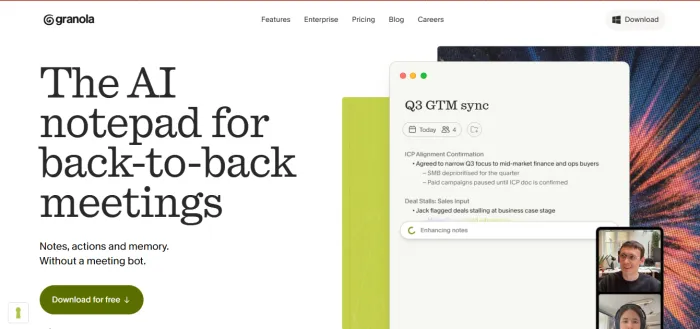
Granola is the one people fall in love with. There is no bot. It captures the audio straight from your computer, so nobody sees a recorder join, and the conversation stays normal. You jot a few rough notes during the call and it expands them afterward into clean, structured notes that read like you wrote them on a good day. For client calls, where a bot in the participant list quietly changes what people say, that is the whole game.
The trade-offs are real. It is a desktop app on Mac and Windows with no web version, it leans on Google Workspace, there is no audio or video playback, the free plan stops at 25 meetings for life, and speaker labels get shaky once three or more people talk over each other. The notes after still need another tool to chase the follow-ups.
STRENGTHS + No bot, so sensitive calls stay candid + Notes read like yours, not a generic recap | WATCH-OUTS - Desktop only, with a Google Workspace lean - No playback, and free stops at 25 meetings |
PRICING Free Basic (25 meetings for life). Business $14/seat for unlimited meetings, history, and integrations. Enterprise $35/seat adds SSO and training opt-out.
BEST FOR Founders, consultants, and execs on client calls that hinge on candor.
| OVERALL | ACCURACY | AI NOTES | EASE | INTEGR. | VALUE |
|---|---|---|---|---|---|
| 8.3 | 8.0 | 9.0 | 9.0 | 7.0 | 8.5 |
tl;dv - BEST FOR SHARING
CLIPS // Meeting recorder // clips and async
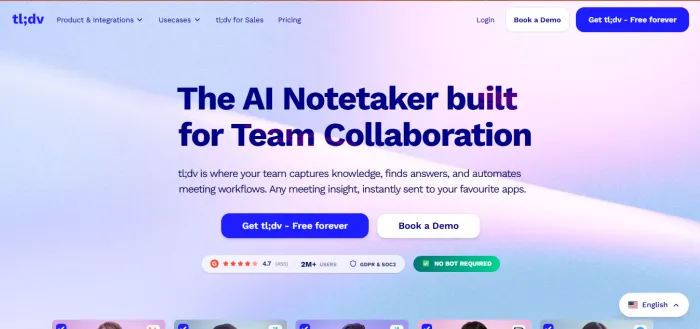
tl;dv records and transcribes like the others, but its trick is what you do after. You can clip any moment into a short shareable video, build reels of key points, and drop them into Slack, Notion, or your CRM, which is gold for async teams where not everyone sits through the call. It transcribes in more than 30 languages and the free plan is one of the most generous for raw recording.
Watch two things. Free recordings auto-delete after three months, so save anything that matters, and the deeper sales features live on the $59 Business tier, which is a big jump from Pro. The bot is visible like most here.
STRENGTHS + One-click clips and reels for async sharing + Strong multilingual support and a generous free tier | WATCH-OUTS - Free recordings auto-delete after three months - Big price jump from Pro to the Business tier |
PRICING Free (unlimited recordings, a few AI notes, deletes after 3 months). Pro $18/seat for unlimited AI notes and CRM sync. Business $59/seat for coaching and playbooks.
BEST FOR Teams that share highlight clips and work across time zones and languages.
| OVERALL | ACCURACY | AI NOTES | EASE | INTEGR. | VALUE |
|---|---|---|---|---|---|
| 8.1 | 8.5 | 8.0 | 8.5 | 8.5 | 7.0 |
Otter.ai - BEST LIVE TRANSCRIPT
LIVE // Real-time transcription // the original
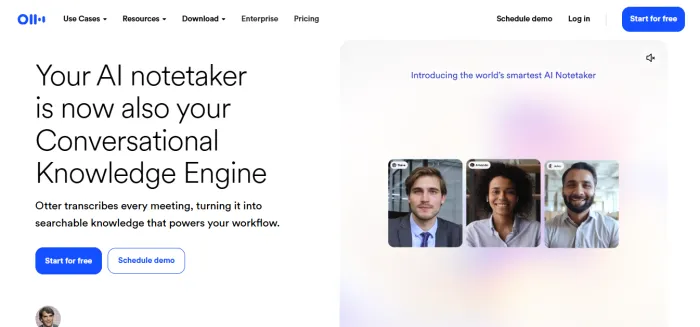
Otter built this category and still owns one thing the others do not: a live transcript that scrolls during the call. You can read along in real time, catch a name you missed, and co-edit notes with your team as the meeting happens. Otter Chat lets you ask questions about what was said, and the company holds SOC 2 across all plans. For accessibility, live captions, and education, nothing here beats it.
Otter has also been the slowest to evolve, so on post-meeting summaries and integrations it now trails the newer tools. The free plan stops at 300 minutes a month with a 30 minute cap per call, and the bot is visible on most platforms.
STRENGTHS + Real-time transcript and co-editing during the call + Cheapest paid seat and strong, broad compliance | WATCH-OUTS - Has fallen behind on summaries and integrations - Free is capped at 300 minutes a month |
PRICING Free (300 min/mo, 30 min per call). Pro from about $8/seat annual (about $17 monthly). Business about $20/seat annual ($30 monthly). Enterprise adds HIPAA.
BEST FOR Live captions, accessibility, classrooms, and reading the transcript as it happens.
| OVERALL | ACCURACY | AI NOTES | EASE | INTEGR. | VALUE |
|---|---|---|---|---|---|
| 8.0 | 9.0 | 7.5 | 8.5 | 7.5 | 7.5 |
Avoma - BEST FOR SALES ORGS
REVENUE // Conversation intelligence // revenue teams
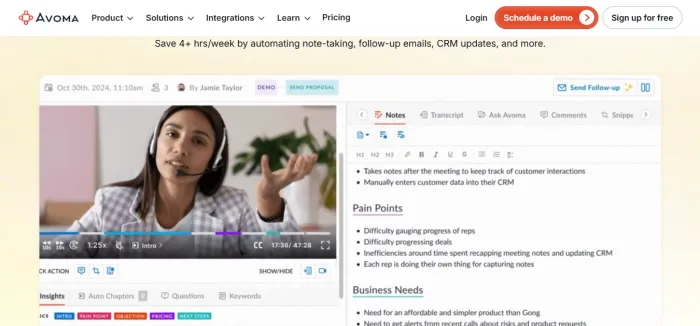
Avoma is the heavyweight, and it is not really a notes app. It is a conversation intelligence platform built for revenue teams. On top of recording and summaries it scores calls against your playbook, tracks talk-time ratios, flags competitor mentions and objections, and pushes structured data into your CRM. For a sales manager coaching reps and reading deal signals, this is the most useful tool on the list.
For everyone else it is overkill, and the price shows it. The notes tier is reasonable, but the conversation and revenue intelligence tiers climb fast, and a general team meeting does not need talk-ratio dashboards. A few reviewers also flag reliability wobbles.
STRENGTHS + Deepest coaching, scorecards, and CRM automation + Structured outputs built for a sales workflow | WATCH-OUTS - Overkill and pricey for non-sales meetings - Heavier setup and occasional reliability complaints |
PRICING 14-day trial. Notes tier from about $19/seat. The conversation and revenue intelligence tiers run roughly $49 to $99/seat.
BEST FOR Revenue teams that need coaching, deal intelligence, and deep CRM automation.
| OVERALL | ACCURACY | AI NOTES | EASE | INTEGR. | VALUE |
|---|---|---|---|---|---|
| 7.6 | 8.5 | 8.5 | 7.0 | 9.0 | 5.0 |
THE NUMBERS, SIDE BY SIDE
Cheap to enter, but the free tiers tell the truth
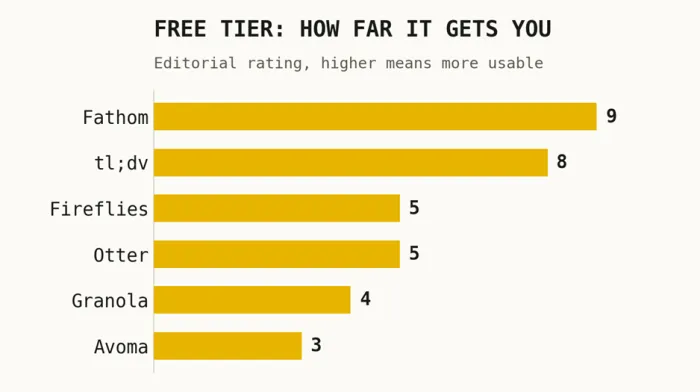
Paid seats land between $9 and $19 for most of these. The bigger gap is the free plan, where Fathom and tl;dv let you actually work while the others mostly let you sample.
| TOOL | BEST FOR | BOT? | FREE TIER | ENTRY | SCORE |
|---|---|---|---|---|---|
| Fathom | All-rounder | Visible (opt out) | Generous | $15/mo | 8.9 |
| Fireflies | Sales and CRM | Visible bot | Limited | $10/mo | 8.4 |
| Granola | Bot-free notes | No bot | 25 meetings | $14/seat | 8.3 |
| tl;dv | Clips and async | Visible bot | Generous | $18/seat | 8.1 |
| Otter | Live transcript | Visible bot | 300 min/mo | $9/mo | 8.0 |
| Avoma | Revenue teams | Visible bot | Trial | $19/seat | 7.6 |
MY VERDICT
Pick your capture style first, features second
I judged these the way you actually use them: one tool, real calls, a budget. The honest truth is there is no single winner, because the right pick turns on one question about your meetings.
BEST FOR MOST PEOPLE Fathom, and it is the safe place to start If a recording bot in the call is fine for you, start with Fathom. The free plan records everything, the notes are fast and accurate, and you only pay when you outgrow five AI summaries a month. It is the lowest-risk first move, and most people never need more. |
BEST WITHOUT A BOT Granola | BEST FOR SALES + CRM Fireflies.ai | BEST LIVE TRANSCRIPT Otter.ai |
BEST FOR CLIPS tl;dv | BEST FOR REVENUE TEAMS Avoma | BEST ALL-ROUNDER Fathom |
My honest take: the bot decides everything. If a recorder joining the call would change what people say, like client meetings, HR, or anything sensitive, go bot-free with Granola and accept the platform limits. If everyone is fine being recorded, start free with Fathom and only pay when you hit a wall. Reach for Fireflies, tl;dv, or Avoma when your CRM, your clip sharing, or your sales coaching outgrows plain notes.
BEFORE YOU PICK Settle the bot question, then get consent A transcript nobody trusts is worse than none. Decide first whether a visible bot changes your conversations. For sensitive or client calls it does, so lean bot-free. For internal syncs it does not, so optimize for free recording and the integrations you use. Choose the capture style first, then the features. One caution on bot-free tools: recording someone without their knowledge can be illegal where you are, and several places require everyone on the call to consent. Know your local rules, and tell people they are being recorded. |